Free Plan Available • 4.9 ★
Free Plan Available • 4.9 ★
The Shopify Bundle App That Tells You What to Build
The Shopify Bundle App That Tells You What to Build
The Shopify Bundle App That Tells You What to Build
Describe your offer in plain English. The AI Bundle Assistant recommends the exact bundle format that fits your store - with a strategy explanation - before you set up a single thing. 7 ways to create bundle offers. Free plan. First bundle live in under 3 minutes.
Describe your offer in plain English. The AI Bundle Assistant recommends the exact bundle format that fits your store - with a strategy explanation - before you set up a single thing. 7 ways to create bundle offers. Free plan. First bundle live in under 3 minutes.
Describe your offer in plain English. The AI Bundle Assistant recommends the exact bundle format that fits your store - with a strategy explanation - before you set up a single thing. 7 ways to create bundle offers. Free plan. First bundle live in under 3 minutes.
✓ No code needed
✓ No code needed
✓ No code needed
✓ Auto inventory sync
✓ Auto inventory sync
✓ Auto inventory sync
✓ Works with any theme
✓ Works with any theme
✓ Works with any theme
✓ One Click Checkout supported
✓ One Click Checkout supported
✓ One Click Checkout supported
✓ Subscription Supported
✓ Subscription Supported
✓ Subscription Supported

Live-ready in minutes
Live-ready in minutes
Everything you need to launch with confidence.
Everything you need to launch with confidence.
Everything you need to launch with confidence.
No setup friction
4.9 ★
4.9 ★
App Store Rating
4.9 ★
App Store Rating
7
7
ways to create bundle offers
7
ways to create bundle offers
<3 min
<3 min
First bundle live
<3 min
First bundle live
$0
$0
To get started
$0
To get started
Setup in 3 steps
Your first bundle live in under 3 minutes
Your first bundle live in under 3 minutes
Your first bundle live in under 3 minutes
No developer. No liquid edits. No waiting.
No developer. No liquid edits. No waiting.
No developer. No liquid edits. No waiting.
1
2
3
Install the app
Install the app
Install the app
One click from the Shopify App Store. Native app blocks - nothing breaks your existing theme.
One click from the Shopify App Store. Native app blocks - nothing breaks your existing theme.
One click from the Shopify App Store. Native app blocks - nothing breaks your existing theme.
Describe your offer
Describe your offer
Describe your offer
Use the AI Bundle Assistant or pick a format directly. Set products, pricing, and discount rules from one dashboard.
Use the AI Bundle Assistant or pick a format directly. Set products, pricing, and discount rules from one dashboard.
Use the AI Bundle Assistant or pick a format directly. Set products, pricing, and discount rules from one dashboard.
Publish & sell
Publish & sell
Publish & sell
Enable the widget on product pages. Inventory syncs automatically with every order across all formats.
Enable the widget on product pages. Inventory syncs automatically with every order across all formats.
Enable the widget on product pages. Inventory syncs automatically with every order across all formats.

AI Bundle Assistant
AI Bundle Assistant
Bundle faster
AI GUIDANCE FOR EVERY BUNDLE
AI GUIDANCE FOR EVERY BUNDLE
Don't know which bundle type fits your store? Just describe your offer.
Don't know which bundle type fits your store? Just describe your offer.
Don't know which bundle type fits your store? Just describe your offer.
Every other bundle app shows you a list of formats and leaves the strategy to you. That works if you already know the difference between a BYOB with limited picks and a custom bundle with add-ons. Most merchants don't - and they shouldn't have to.
Type your offer idea into the AI Bundle Assistant. It reads what you're trying to achieve and recommends the exact format that fits - with a plain-English explanation of why. You go straight from recommendation to creating the bundle.
Every other bundle app shows you a list of formats and leaves the strategy to you. That works if you already know the difference between a BYOB with limited picks and a custom bundle with add-ons. Most merchants don't - and they shouldn't have to.
Type your offer idea into the AI Bundle Assistant. It reads what you're trying to achieve and recommends the exact format that fits - with a plain-English explanation of why. You go straight from recommendation to creating the bundle.
Every other bundle app shows you a list of formats and leaves the strategy to you. That works if you already know the difference between a BYOB with limited picks and a custom bundle with add-ons. Most merchants don't - and they shouldn't have to.
Type your offer idea into the AI Bundle Assistant. It reads what you're trying to achieve and recommends the exact format that fits - with a plain-English explanation of why. You go straight from recommendation to creating the bundle.
From prompt → recommendation → ready-to-build bundle.
From prompt → recommendation → ready-to-build bundle.
From prompt → recommendation → ready-to-build bundle.
No other Shopify bundle app does this
AI Bundle Assistant
Perfect Match
Create Fixed Bundle
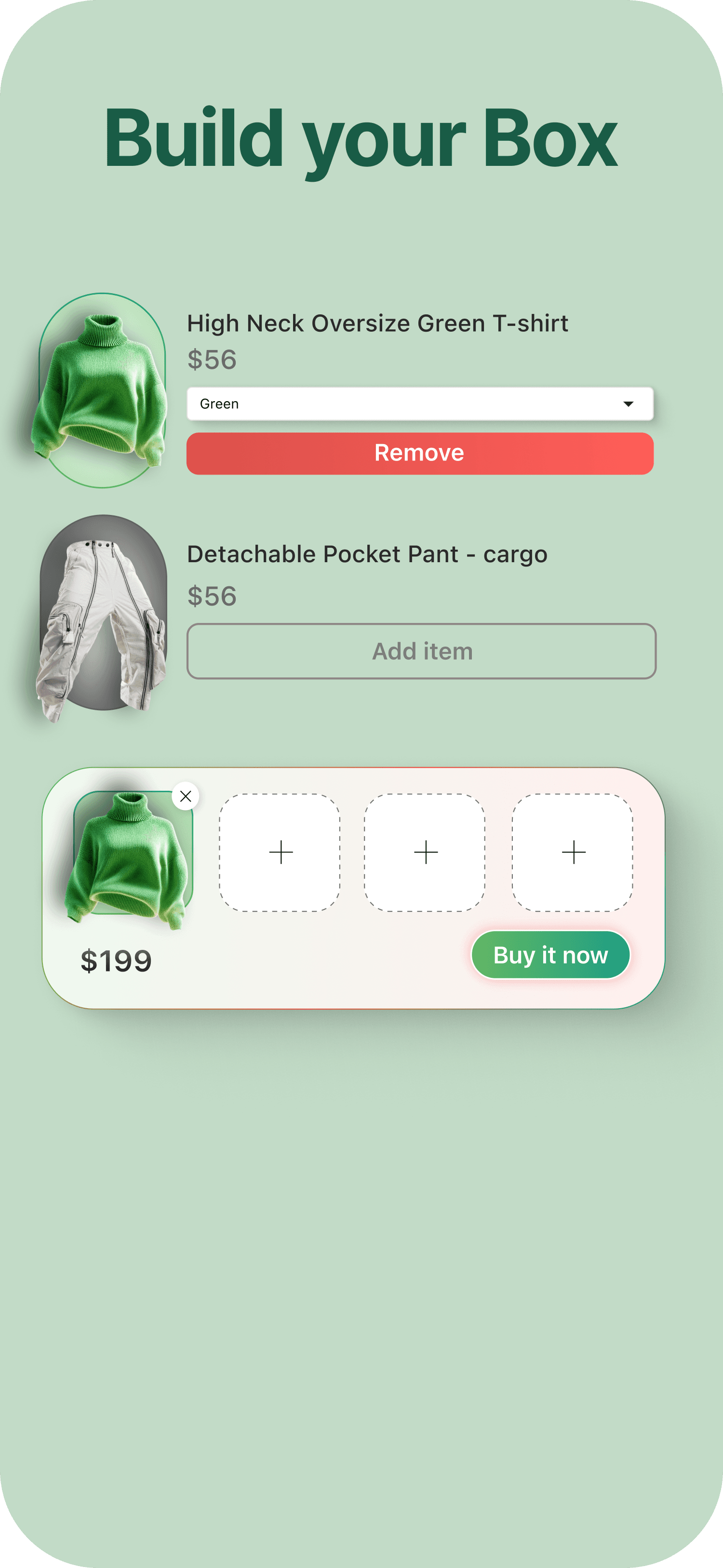
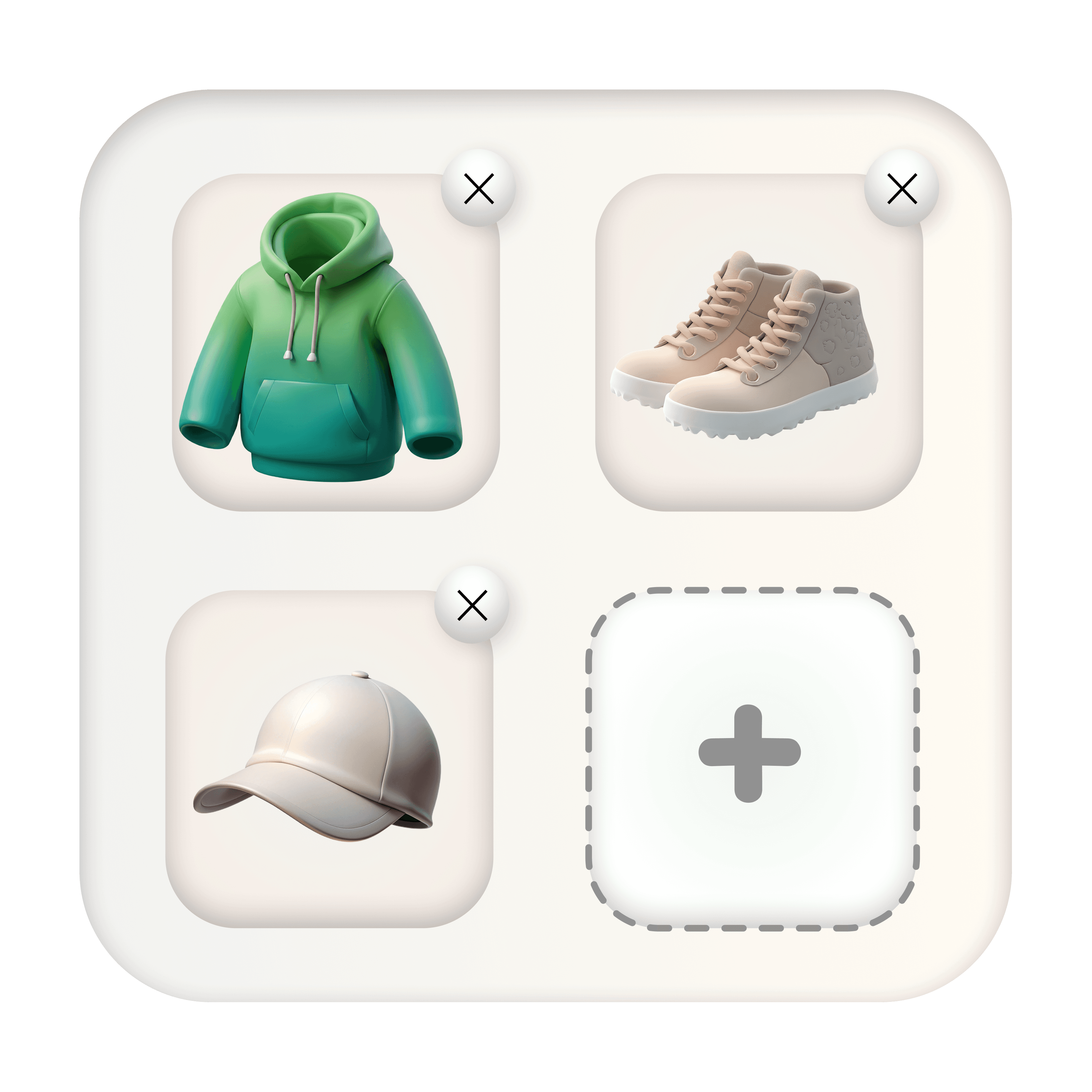
Build Your Box
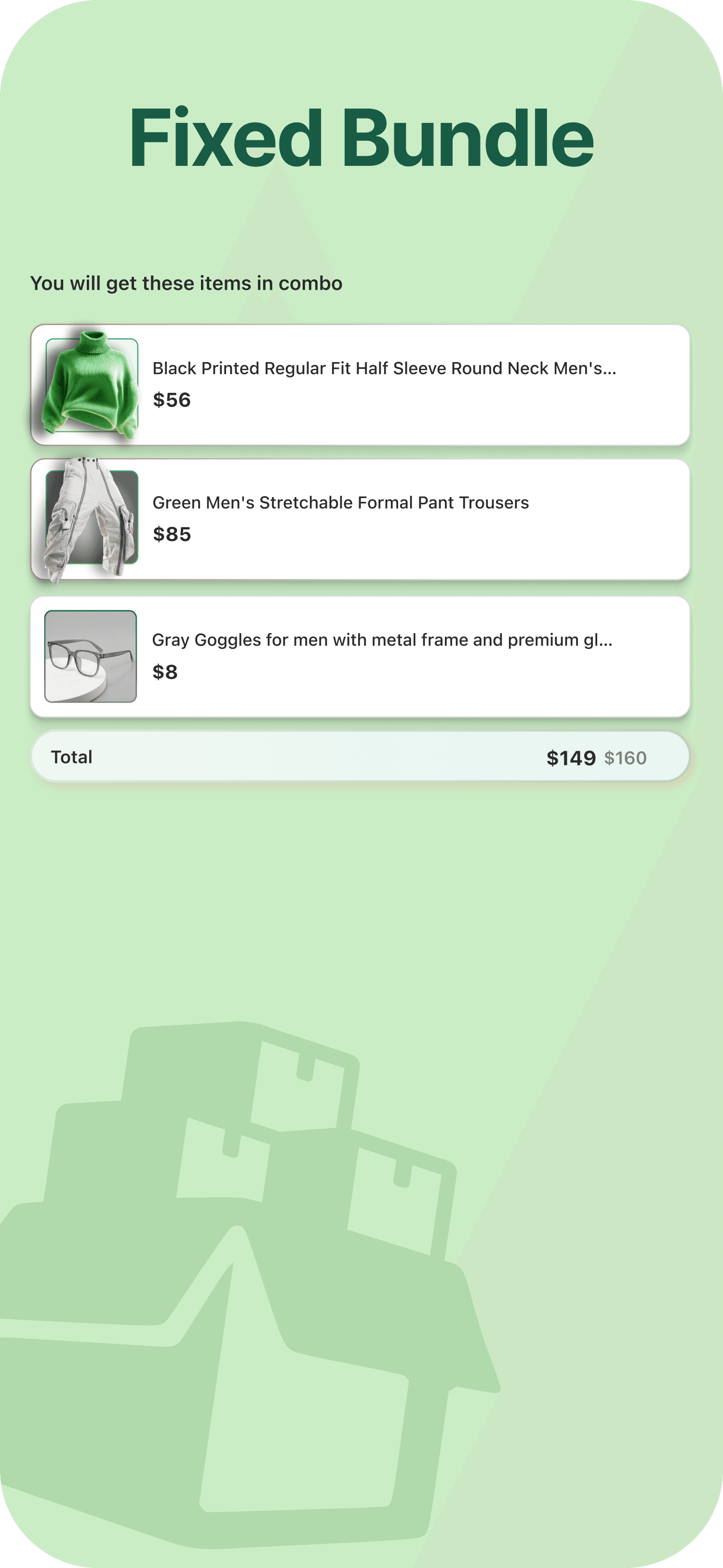
Fixed Bundle
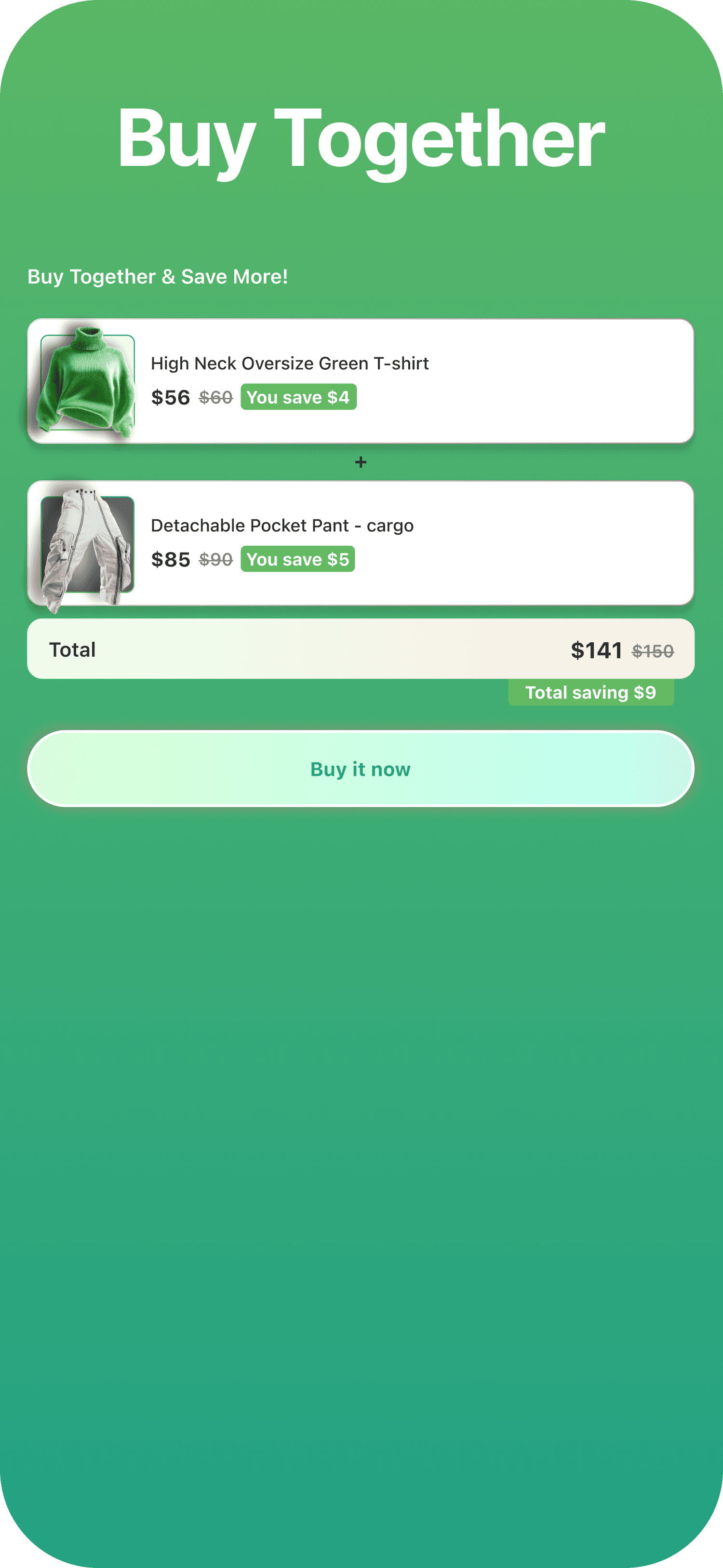
Buy Together
Volume Bundle
Buy X Get Y
Custom Bundle

AI Bundle Assistant
Describe your offer idea and we’ll find the perfect bundle format for you...
AI Bundle Assistant
Perfect Match
Create Fixed Bundle
Build Your Box
Fixed Bundle
Buy Together
Volume Bundle
Buy X Get Y
Custom Bundle
AI Bundle Assistant
Describe your offer idea and we’ll find the perfect bundle format for you...
AI Bundle Assistant
Perfect Match
Create Fixed Bundle
Build Your Box
Fixed Bundle
Buy Together
Volume Bundle
Buy X Get Y
Custom Bundle
AI Bundle Assistant
Describe your offer idea and we’ll find the perfect bundle format for you...
Types of Bundle
Built for scale. Loved by merchants. Helping you sell more, effortlessly.
01
Predefined (Fixed) Bundle

Store owner can define products inside bundle. Here Customer can not select product themself. Whatever products added by owner that only will be added inside bundle.
02
Build Your Box Bundle
Store owners can create a Build your Box Bundle that includes products with or without discounted prices. This bundle can be added to any page of the store. Customers can then choose products……
03
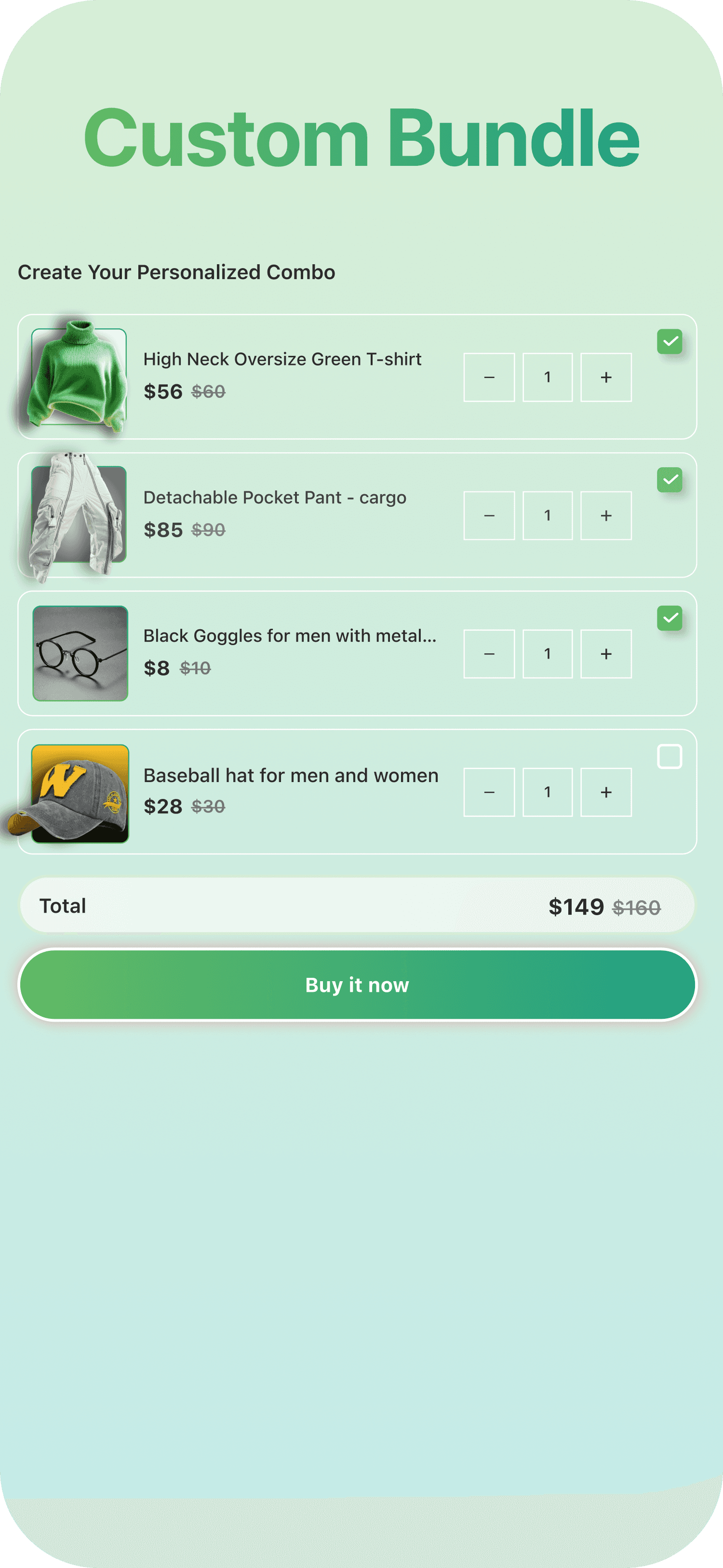
Custom Bundle
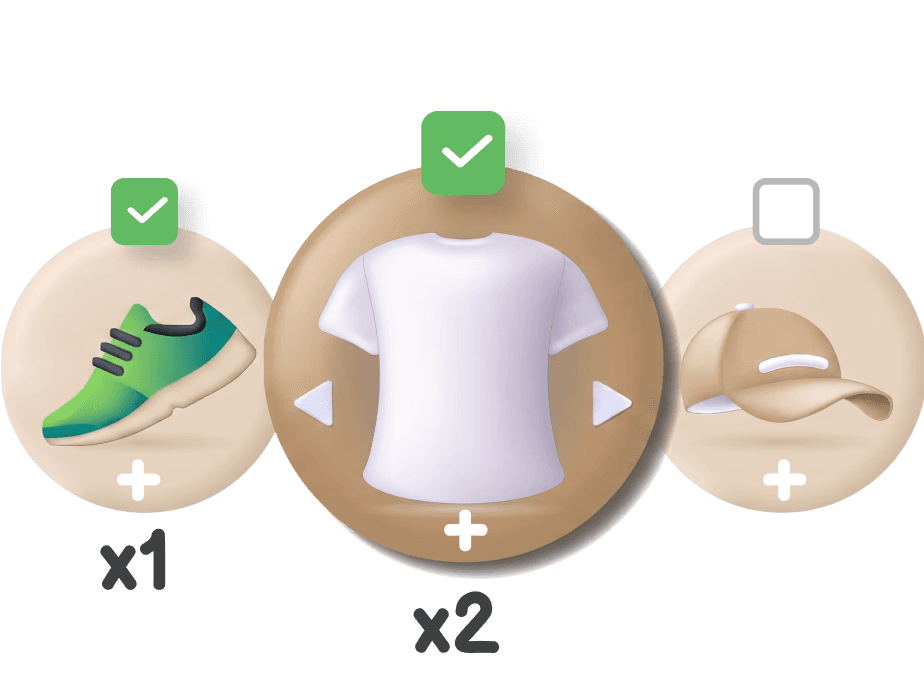
Store owners can define products with discounted prices in the Custom bundle and Customers can select the products they require from the Custom bundle with discounted prices
04
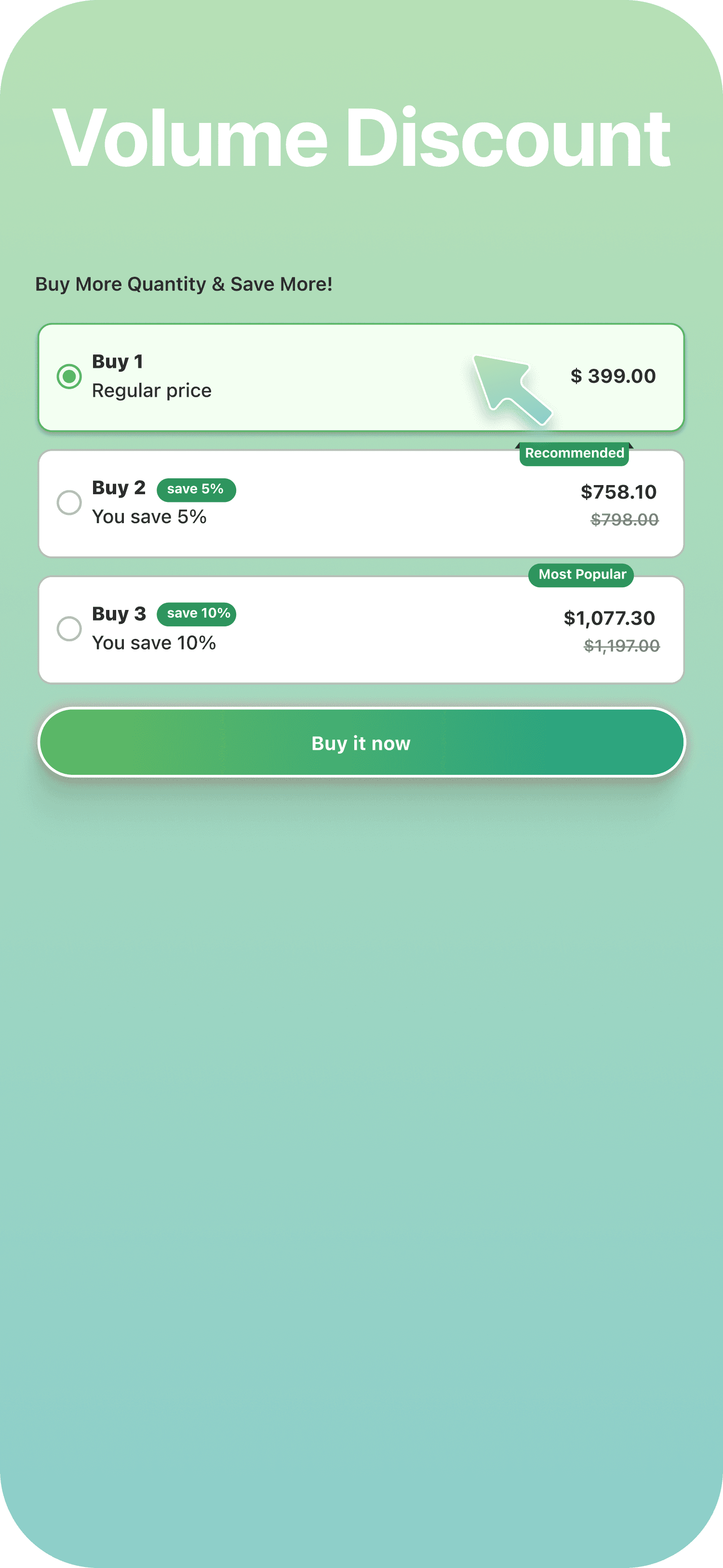
Volume Discount Bundle
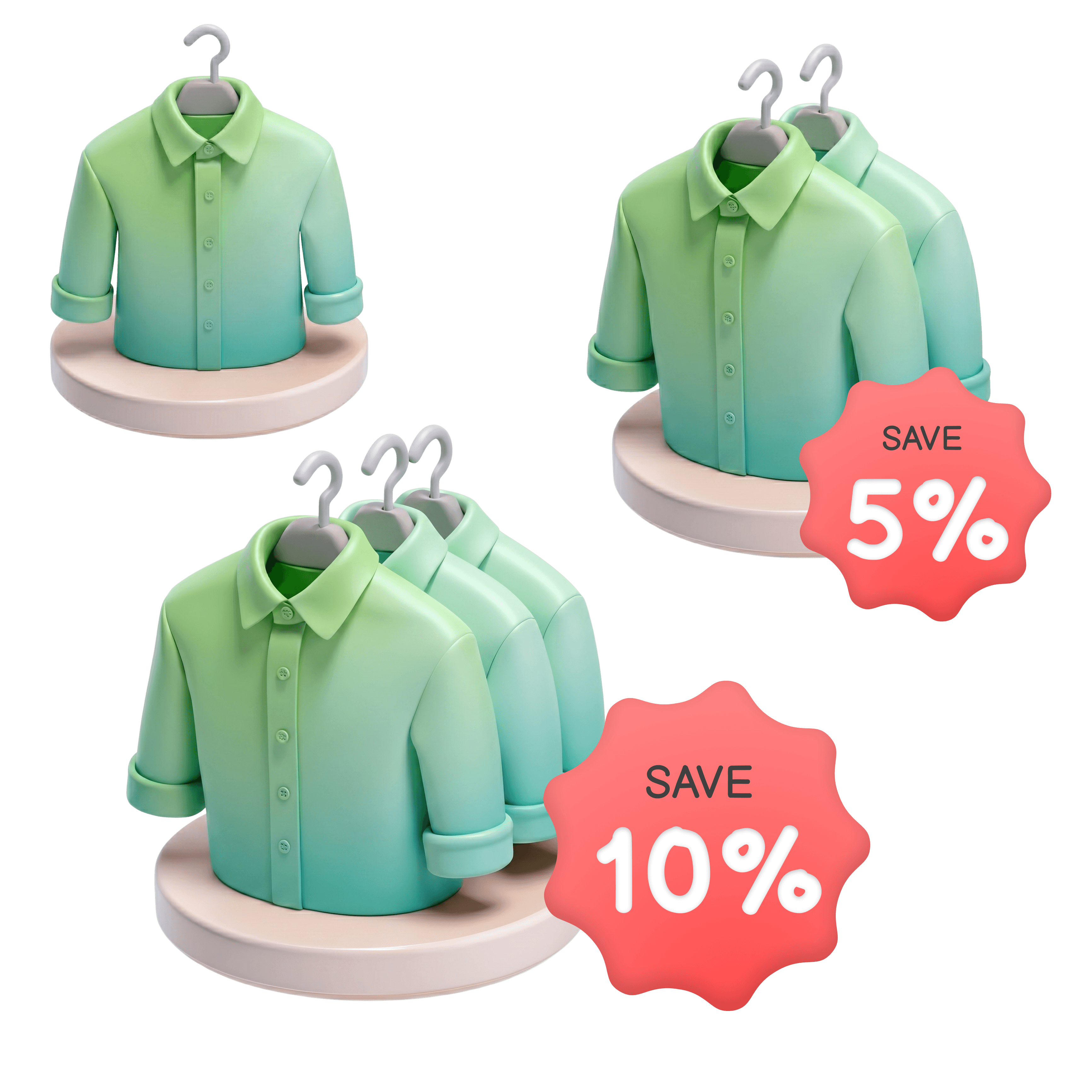
Store owners can offer discounts based on the quantity of a single product purchased. The more a customer buys, the bigger the discount they ….
05
Buy Together Bundle
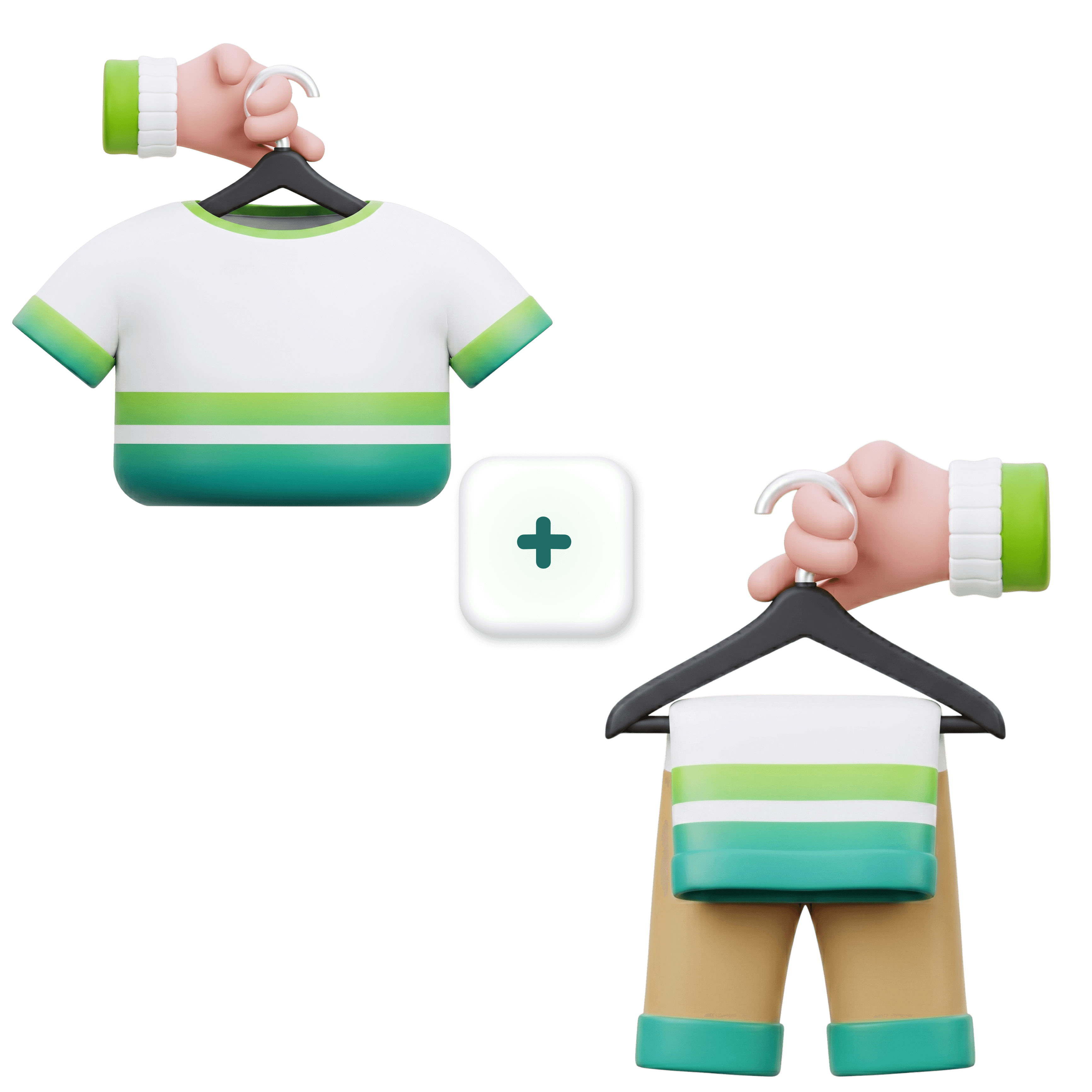
Store owners can define products to be sold together at discounted prices. Customers can then purchase these products together at the prices set by the store owner.
06
Buy X Get Y Bundle
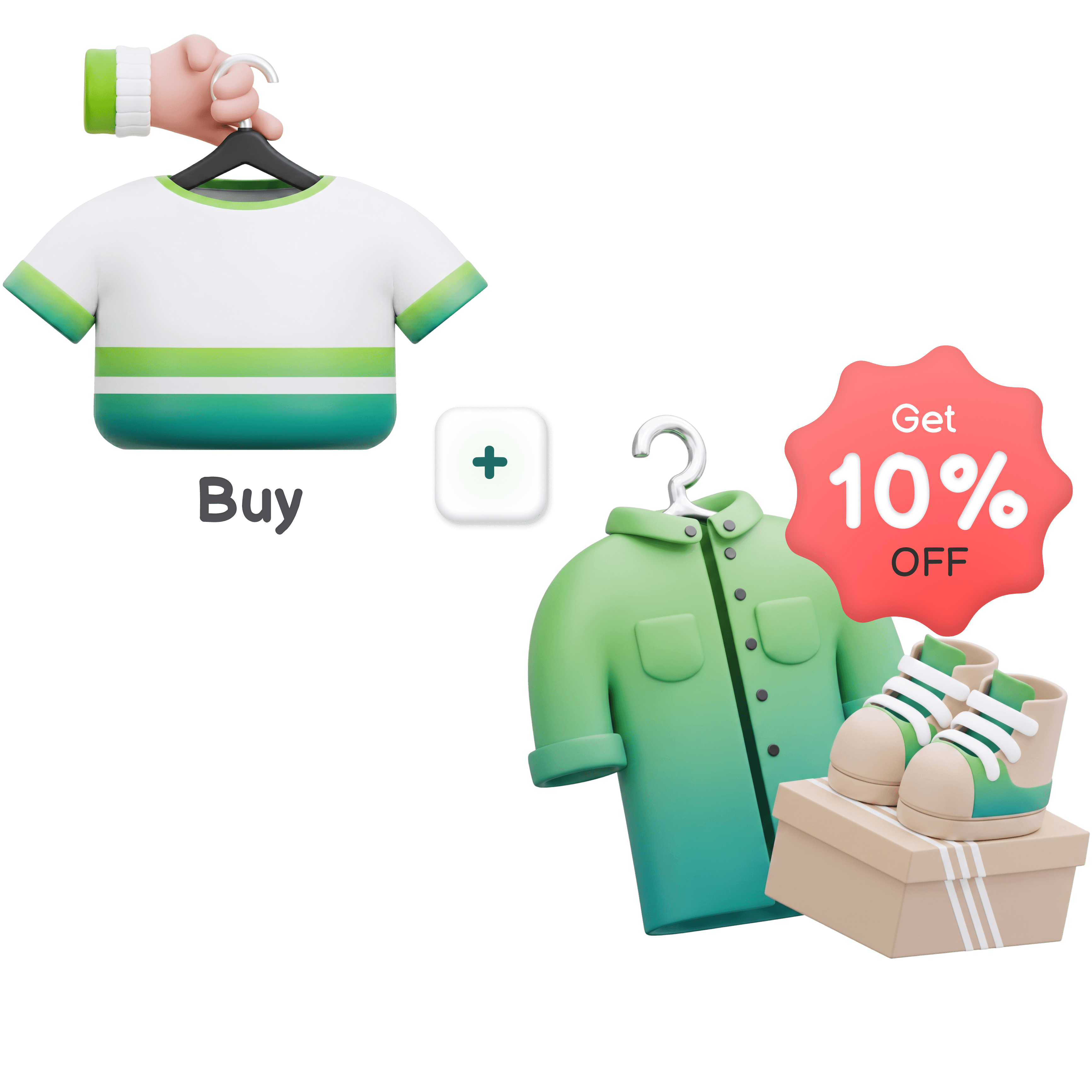
Store owners can create special Buy X Get Y offers where customers receive a free or discounted product when they purchase a certain quantity of other products…
07
Mystery Box Bundle

Let customers choose a pack size (3, 5, 7, or more) and surprise them with randomly selected products from a predefined list. Boost AOV, clear inventory smartly, and….
Types of Bundle
Built for scale. Loved by merchants. Helping you sell more, effortlessly.
01
Predefined (Fixed) Bundle
Store owner can define products inside bundle. Here Customer can not select product themself. Whatever products added by owner that only will be added inside bundle.
02
Build Your Box Bundle
Store owners can create a Build your Box Bundle that includes products with or without discounted prices. This bundle can be added to any page of the store. Customers can then choose products……
03
Custom Bundle
Store owners can define products with discounted prices in the Custom bundle and Customers can select the products they require from the Custom bundle with discounted prices
04
Volume Discount Bundle
Store owners can offer discounts based on the quantity of a single product purchased. The more a customer buys, the bigger the discount they ….
05
Buy Together Bundle
Store owners can define products to be sold together at discounted prices. Customers can then purchase these products together at the prices set by the store owner.
06
Buy X Get Y Bundle
Store owners can create special Buy X Get Y offers where customers receive a free or discounted product when they purchase a certain quantity of other products…
07
Mystery Box Bundle
Let customers choose a pack size (3, 5, 7, or more) and surprise them with randomly selected products from a predefined list. Boost AOV, clear inventory smartly, and….
Types of Bundle
Built for scale. Loved by merchants. Helping you sell more, effortlessly.
01
Predefined (Fixed) Bundle
Store owner can define products inside bundle. Here Customer can not select product themself. Whatever products added by owner that only will be added inside bundle.
03
Custom Bundle
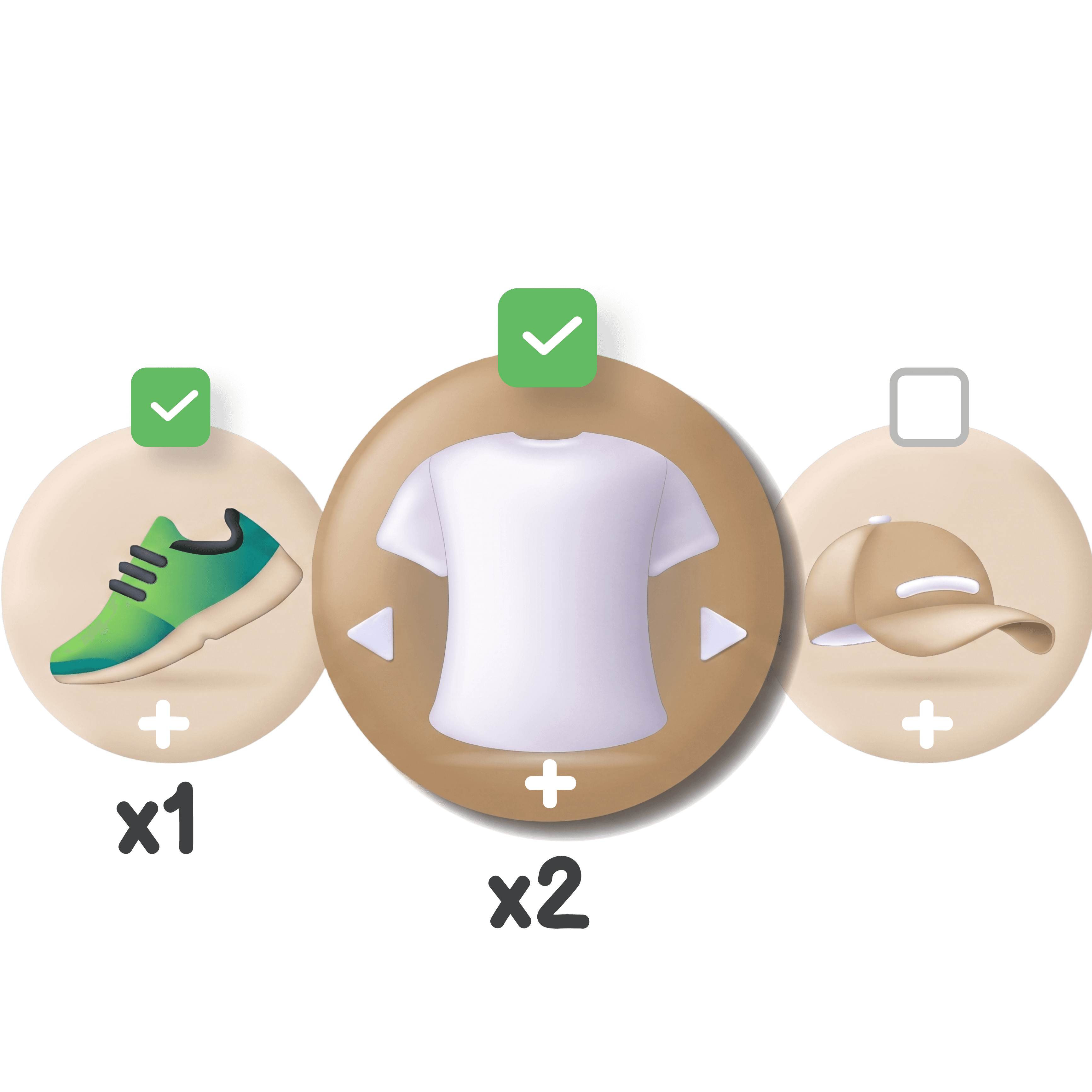
Store owners can define products with discounted prices in the Custom bundle and Customers can select the products they require from the Custom bundle with discounted prices
02
Build Your Box Bundle
Store owners can create a Build your Box Bundle that includes products with or without discounted prices. This bundle can be added to any page of the store. Customers can then choose products……
04
Volume Discount Bundle
Store owners can offer discounts based on the quantity of a single product purchased. The more a customer buys, the bigger the discount they ….
05
Buy Together Bundle
Store owners can define products to be sold together at discounted prices. Customers can then purchase these products together at the prices set by the store owner.
06
Buy X Get Y Bundle
Store owners can create special Buy X Get Y offers where customers receive a free or discounted product when they purchase a certain quantity of other products…
07
Mystery Box Bundle
Let customers choose a pack size (3, 5, 7, or more) and surprise them with randomly selected products from a predefined list. Boost AOV, clear inventory smartly, and….
REAL SCENARIOS
Which bundle type fits your store?
Which bundle type fits your store?
Six merchant situations, redesigned as premium product category cards with soft imagery, clean hierarchy, and smooth motion.
Six merchant situations, redesigned as premium product category cards with soft imagery, clean hierarchy, and smooth motion.
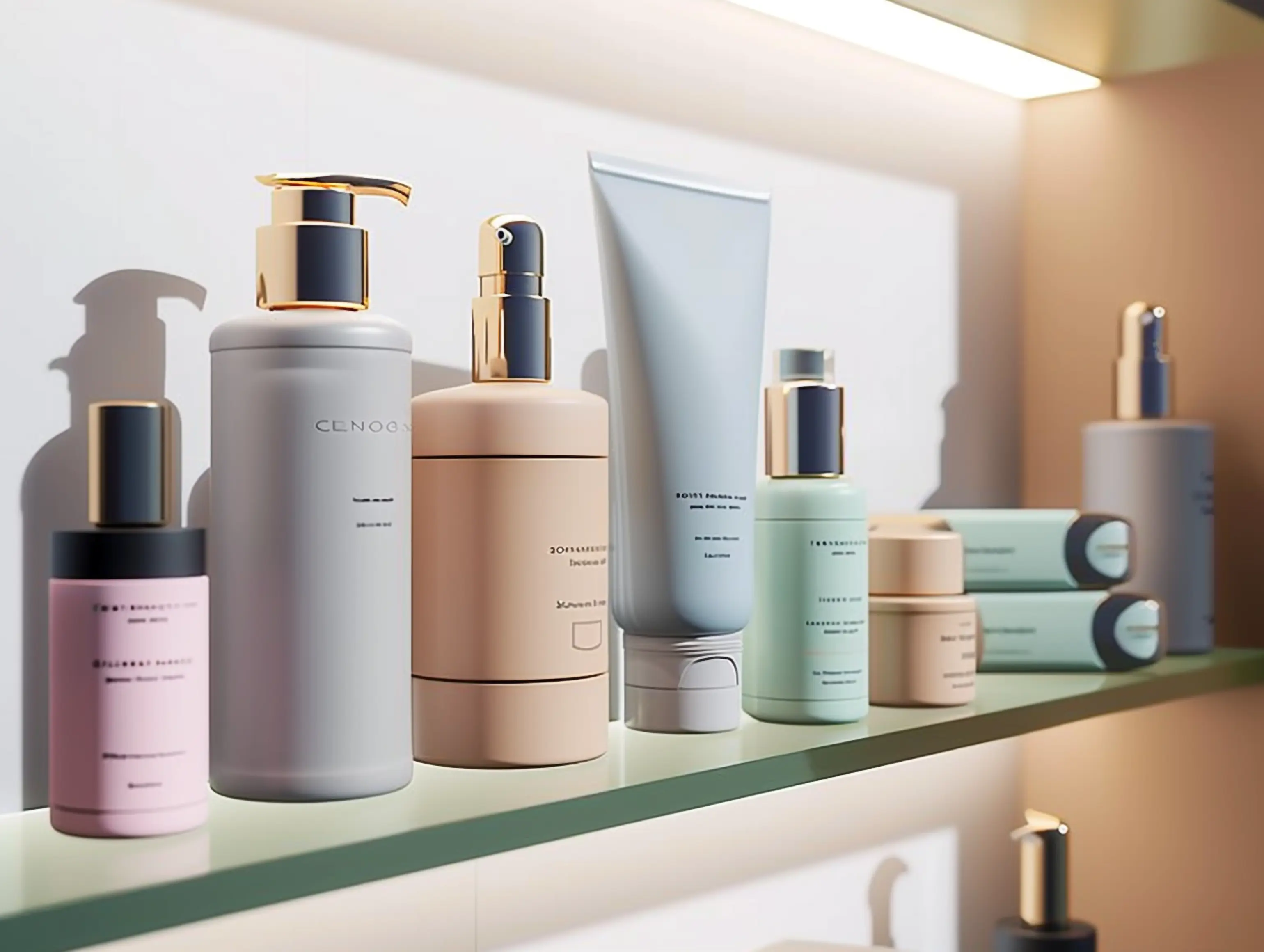
Skincare & Beauty
Sell complete skincare routines as one product
Package cleanser + toner + moisturiser as a single SKU at one price. Inventory across every component updates automatically when the kit sells.
Fixed Bundle
Skincare & Beauty
Sell complete skincare routines as one product
Package cleanser + toner + moisturiser as a single SKU at one price. Inventory across every component updates automatically when the kit sells.
Fixed Bundle

Supplements & Consumables
Reward customers who stock up
Protein powder, vitamins, coffee pods. Volume Discount shows tiered pricing live on the product page. Customers see the saving before they decide - you move more per order.
Volume Discount
Supplements & Consumables
Reward customers who stock up
Protein powder, vitamins, coffee pods. Volume Discount shows tiered pricing live on the product page. Customers see the saving before they decide - you move more per order.
Volume Discount

Gifts & Occasions
Gift box where the buyer chooses what goes inside
Set your box price, define which products qualify. The buyer picks 4. The choice is part of the gift experience - higher AOV and better gifting than a fixed kit.
Build Your Box
Gifts & Occasions
Gift box where the buyer chooses what goes inside
Set your box price, define which products qualify. The buyer picks 4. The choice is part of the gift experience - higher AOV and better gifting than a fixed kit.
Build Your Box

Electronics & Accessories
Suggest the accessories every buyer needs next
Customer buys a laptop stand - they also need the USB hub and cable kit. Buy Together puts both on the product page with a single add-to-cart button. No extra navigation.
Buy Together
Electronics & Accessories
Suggest the accessories every buyer needs next
Customer buys a laptop stand - they also need the USB hub and cable kit. Buy Together puts both on the product page with a single add-to-cart button. No extra navigation.
Buy Together

Fashion & Apparel
Push a slow product without a store-wide sale
Buy this top, get these earrings at 50% off. Buy X Get Y fires only when the trigger product is in the cart - targeted exposure, no blanket discount that trains customers to wait.
Buy X Get Y
Fashion & Apparel
Push a slow product without a store-wide sale
Buy this top, get these earrings at 50% off. Buy X Get Y fires only when the trigger product is in the cart - targeted exposure, no blanket discount that trains customers to wait.
Buy X Get Y

Clearance & Seasonal
Clear old stock without a visible markdown
Mystery Box moves end-of-season items and overstock at a set price. The surprise is the appeal - no discount banner, no eroding your regular pricing in shoppers' minds.
Mystery Box
Clearance & Seasonal
Clear old stock without a visible markdown
Mystery Box moves end-of-season items and overstock at a set price. The surprise is the appeal - no discount banner, no eroding your regular pricing in shoppers' minds.
Mystery Box
MORE IN THE APP
Built for merchants running real stores
Built for merchants running real stores
Operational features that matter once you’re past your first bundle.
Operational features that matter once you’re past your first bundle.
CSV Import for Fixed Bundles
Large catalog? Upload a CSV with product SKUs and activate all Fixed Bundles at once. Download sample, fill in, upload. Done. (Advance plan)
bundle_skus.csv
1,248 SKUs ready
CSV Import for Fixed Bundles
Large catalog? Upload a CSV with product SKUs and activate all Fixed Bundles at once. Download sample, fill in, upload. Done. (Advance plan)
bundle_skus.csv
1,248 SKUs ready
One Click Checkout Support
Native integration with GoKwik / Shiprocket / Super Money Checkout alongside Shopify's default. One setting toggle. Widely used by Indian D2C brands - not a workaround.
GoKwik active
Default checkout preserved
One Click Checkout Support
Native integration with GoKwik / Shiprocket / Super Money Checkout alongside Shopify's default. One setting toggle. Widely used by Indian D2C brands - not a workaround.
GoKwik active
Default checkout preserved
Subscription Integration
Sell bundles on a recurring basis. Works with any app using Shopify managed subscriptions, including Recurpay. One toggle in settings.
Recurring bundles
On
Subscription Integration
Sell bundles on a recurring basis. Works with any app using Shopify managed subscriptions, including Recurpay. One toggle in settings.
Recurring bundles
On
Multi-Language Support
Widget text translates into English, German, French, Spanish, Chinese, and more. No custom code needed for non-English markets.
EN
DE
FR
ES
CN
+
Multi-Language Support
Widget text translates into English, German, French, Spanish, Chinese, and more. No custom code needed for non-English markets.
EN
DE
FR
ES
CN
+
Low-Stock Notifications
Email alert when bundle inventory drops below a threshold you set. No manual stock checking for your most popular bundles.
Alert below 40 units
Low-Stock Notifications
Email alert when bundle inventory drops below a threshold you set. No manual stock checking for your most popular bundles.
Alert below 40 units
Bundle Analytics
Track visitors, conversion rate, revenue, and AOV per bundle type and per individual bundle. See which formats work and which need attention.
Bundle Analytics
Track visitors, conversion rate, revenue, and AOV per bundle type and per individual bundle. See which formats work and which need attention.
WHY MERCHANTS SWITCH
Without bundles vs. with AI Product Bundle Builder
Without bundles vs. with AI Product Bundle Builder
Two stores. Same products. The one with bundles consistently wins on AOV, conversion, and inventory efficiency.
Two stores. Same products. The one with bundles consistently wins on AOV, conversion, and inventory efficiency.
Without Bundles
Every sale is a single product
One product per order
Customer buys a cleanser for ₹599 and leaves. The toner and moisturiser stay on the shelf.
No upsell moment
No way to surface complementary products at the right time. Customers don’t see what goes together.
No perceived deal
Full-price items feel expensive. Without a bundle discount, there’s nothing to trigger a “this is worth it” decision.
Slow inventory movement
Slow-moving SKUs sit in stock. No mechanism to pair them with fast-movers or clear them with a mystery offer.
Lower average order value
Every order is the price of one item. There’s no cart expansion. AOV flatlines regardless of traffic growth.
VS
With Essenify AI Product Bundle Builder
Every cart has room to grow
Whole-routine sales
Fixed Bundle packages cleanser + toner + moisturiser as one SKU. Customer buys the complete kit at ₹1,499. Inventory syncs automatically.
FBT upsell on every product page
Buy Together shows the right complementary products with one-click add-to-cart. Customers discover what goes together without leaving the page.
Live discount tiers that convert
Volume Discount shows “buy 2 save 5%, buy 4 save 10%” live on the product page. The saving is visible before the decision is made.
Clear stock without public markdowns
Mystery Box moves overstock at a set price. No discount banner, no training customers to wait for a sale.
Higher AOV, same traffic
More items per cart with every bundle type. You grow revenue from existing visitors - no extra ad spend required.
Revenue leak alert
Revenue leak alert
You’re Leaving Revenue on the Table
You’re Leaving Revenue on the Table
You’re Leaving Revenue on the Table
We mapped a typical Shopify store and found eight revenue leaks that happen without bundles. Each one quietly costs money on every order, every day.
We mapped a typical Shopify store and found eight revenue leaks that happen without bundles. Each one quietly costs money on every order, every day.
1
Product page
Low Product Visibility - One Page, One Product
A customer on your cleanser page sees only the cleanser. The toner, the moisturiser, the serum - all invisible. Without a Buy Together or Custom Bundle widget on the page, complementary products never enter the customer's consideration set. Every single-product page visit is a multi-product sale that didn't happen.
Fix with:
Buy Together (FBT)
Custom Bundle
1
Product page
Low Product Visibility - One Page, One Product
A customer on your cleanser page sees only the cleanser. The toner, the moisturiser, the serum - all invisible. Without a Buy Together or Custom Bundle widget on the page, complementary products never enter the customer's consideration set. Every single-product page visit is a multi-product sale that didn't happen.
Fix with:
Buy Together (FBT)
Custom Bundle
2
Cart behaviour
Single-Item Checkouts - No Upsell at the Decisive Moment
Customer adds one item to cart and checks out at ₹599. A Fixed Bundle or Build Your Box offer on the same page could have moved that to ₹1,299 - same customer, same session, same traffic cost. There's no mechanism to expand the cart because no bundle is present.
Fix with:
Fixed Bundle
Build Your Box
2
Cart behaviour
Single-Item Checkouts - No Upsell at the Decisive Moment
Customer adds one item to cart and checks out at ₹599. A Fixed Bundle or Build Your Box offer on the same page could have moved that to ₹1,299 - same customer, same session, same traffic cost. There's no mechanism to expand the cart because no bundle is present.
Fix with:
Fixed Bundle
Build Your Box
3
Quantity Behaviour
No Incentive to Buy More Units - Flat Pricing Kills Stocking Up
Your supplement, coffee, or consumable product is priced the same whether someone buys one or four. There is no live tier showing "buy 2 save 5%, buy 4 save 10%." The customer who would have stocked up buys one unit, reorders in 3 weeks, and keeps your AOV permanently low.
Fix with:
Volume Discount
3
Quantity Behaviour
No Incentive to Buy More Units - Flat Pricing Kills Stocking Up
Your supplement, coffee, or consumable product is priced the same whether someone buys one or four. There is no live tier showing "buy 2 save 5%, buy 4 save 10%." The customer who would have stocked up buys one unit, reorders in 3 weeks, and keeps your AOV permanently low.
Fix with:
Volume Discount
4
Gift & Occasion Traffic
Gift Buyers Choose the Cheapest Option - No Curated Box Experience
Someone searching for a "skincare gift set" lands on your store. Without a Build Your Box option, they either buy one product or leave. The gift buyer wants to feel like they're curating something - and they'll pay a premium for a flat-price box. Without it, that high-intent, high-AOV visitor converts at your lowest price point.
Fix with:
Build Your Box (BYOB)
4
Gift & Occasion Traffic
Gift Buyers Choose the Cheapest Option - No Curated Box Experience
Someone searching for a "skincare gift set" lands on your store. Without a Build Your Box option, they either buy one product or leave. The gift buyer wants to feel like they're curating something - and they'll pay a premium for a flat-price box. Without it, that high-intent, high-AOV visitor converts at your lowest price point.
Fix with:
Build Your Box (BYOB)
5
Slow Inventory
Overstock Sits Until a Public Discount - Which Trains Price Sensitivity
Seasonal items and slow SKUs accumulate. The typical response: a sitewide discount or a flash sale. Both are visible to all customers and teach them to wait for markdowns. Without a Mystery Box, you have no mechanism to move overstock at a fixed price without conditioning customers to expect lower prices later.
Fix with:
Mystery Box
Buy X Get Y
5
Slow Inventory
Overstock Sits Until a Public Discount - Which Trains Price Sensitivity
Seasonal items and slow SKUs accumulate. The typical response: a sitewide discount or a flash sale. Both are visible to all customers and teach them to wait for markdowns. Without a Mystery Box, you have no mechanism to move overstock at a fixed price without conditioning customers to expect lower prices later.
Fix with:
Mystery Box
Buy X Get Y
6
Repeat Purchase
One-Time Buyers Who Should Be Subscribers - No Recurring Bundle Path
A customer who reorders protein powder, supplements, or coffee every 30 days is buying one unit at a time because there's no subscription bundle to convert them into. Each reorder is manual, at-risk, and single-unit. Without a subscription-enabled bundle, you're running a reacquisition campaign for customers you already have.
Fix with:
Fixed Bundle + Subscription
Volume Discount
6
Repeat Purchase
One-Time Buyers Who Should Be Subscribers - No Recurring Bundle Path
A customer who reorders protein powder, supplements, or coffee every 30 days is buying one unit at a time because there's no subscription bundle to convert them into. Each reorder is manual, at-risk, and single-unit. Without a subscription-enabled bundle, you're running a reacquisition campaign for customers you already have.
Fix with:
Fixed Bundle + Subscription
Volume Discount
7
Analytics Blind Spot
No Bundle-Level Data - You Can't Optimise What You Can't Measure
Without bundle analytics, you don't know which product combinations convert, which discount tiers actually move the needle, or where visitors drop off. You're running bundle strategy on gut feel. Stores with bundle-level AOV and conversion data consistently outperform those relying on overall store metrics that mask per-format performance.
Fix with:
Bundle Analytics
7
Analytics Blind Spot
No Bundle-Level Data - You Can't Optimise What You Can't Measure
Without bundle analytics, you don't know which product combinations convert, which discount tiers actually move the needle, or where visitors drop off. You're running bundle strategy on gut feel. Stores with bundle-level AOV and conversion data consistently outperform those relying on overall store metrics that mask per-format performance.
Fix with:
Bundle Analytics
8
International Reach
Non-English Customers See a Generic Widget - No Trust, Lower Conversion
If your store serves German, French, Spanish, or Hindi-speaking customers and your bundle widget shows in English, you're introducing friction at the exact moment you need trust. A localised bundle widget removes that friction. Without multi-language support, international traffic converts lower than it should - and you're unlikely to notice it in aggregate store data.
Fix with:
Multi-Language Support
8
International Reach
Non-English Customers See a Generic Widget - No Trust, Lower Conversion
If your store serves German, French, Spanish, or Hindi-speaking customers and your bundle widget shows in English, you're introducing friction at the exact moment you need trust. A localised bundle widget removes that friction. Without multi-language support, international traffic converts lower than it should - and you're unlikely to notice it in aggregate store data.
Fix with:
Multi-Language Support
Get In Touch
Custom Features
Custom Features
If you think you need more customization on AI Product Bundle Builder, then feel free to get in touch and we are here to help you!
If you think you need more customization on AI Product Bundle Builder, then feel free to get in touch and we are here to help you!
If you think you need more customization on AI Product Bundle Builder, then feel free to get in touch and we are here to help you!

Ready to Install
You can install AI Product Bundle Builder from Shopify App Store.
Ready to Install
You can install AI Product Bundle Builder from Shopify App Store.
15-day free trial
Pricing that scales with your bundles
Pick a plan and see its features inside the same card, no sideways comparison table needed on mobile.
Monthly
Yearly
Freebie
Free /month
Ideal for individuals who need quick access to basic features.
Multiple Bundle creation
Variant selection
5 Active Fixed Bundles
2 Active Buy Together Bundles
2 Active Volume Bundles
View more features
Starter
$5.99 /month
Ideal for individuals who need access to enhanced features.
Multiple Bundle creation
Variant selection
Up to 10 Active Fixed Bundles
5 Active Buy Together Bundles
5 Active Volume Bundles
View more features
Pro
Most popular
$14.99 /month
Ideal for individuals who need access to Must-Have features.
Multiple Bundle creation
Variant selection
Unlimited Active Fixed Bundles
Up to 25 Active Buy Together Bundles
Up to 25 Active Volume Bundles
View more features
Advance
$49.99 /month
Ideal for individuals who need access to advanced features.
Unlimited Bundle creation
Variant selection
Unlimited Active Fixed Bundles
Unlimited Active Buy Together Bundles
Unlimited Active Volume Bundles
View more features
Choose your plan
Monthly
Yearly
Freebie
Free /month
Ideal for individuals who need quick access to basic features.
Multiple Bundle creation
Variant selection
5 Active Fixed Bundles
2 Active Buy Together Bundles
2 Active Volume Bundles
View more features
Starter
$5.99 /month
Ideal for individuals who need access to enhanced features.
Multiple Bundle creation
Variant selection
Up to 10 Active Fixed Bundles
5 Active Buy Together Bundles
5 Active Volume Bundles
View more features
Pro
Most popular
$14.99 /month
Ideal for individuals who need access to Must-Have features.
Multiple Bundle creation
Variant selection
Unlimited Active Fixed Bundles
Up to 25 Active Buy Together Bundles
Up to 25 Active Volume Bundles
View more features
Advance
$29.99 /month
Ideal for individuals who need access to advanced features.
Unlimited Bundle creation
Variant selection
Unlimited Active Fixed Bundles
Unlimited Active Buy Together Bundles
Unlimited Active Volume Bundles
View more features
Choose your plan
Monthly
Yearly
Freebie
Free /month
Ideal for individuals who need quick access to basic features.
Multiple Bundle creation
Variant selection
5 Active Fixed Bundles
2 Active Buy Together Bundles
2 Active Volume Bundles
View more features
Starter
$5.99 /month
Ideal for individuals who need access to enhanced features.
Multiple Bundle creation
Variant selection
Up to 10 Active Fixed Bundles
5 Active Buy Together Bundles
5 Active Volume Bundles
View more features
Pro
Most popular
$14.99 /month
Ideal for individuals who need access to Must-Have features.
Multiple Bundle creation
Variant selection
Unlimited Active Fixed Bundles
Up to 25 Active Buy Together Bundles
Up to 25 Active Volume Bundles
View more features
Advance
$29.99 /month
Ideal for individuals who need access to advanced features.
Unlimited Bundle creation
Variant selection
Unlimited Active Fixed Bundles
Unlimited Active Buy Together Bundles
Unlimited Active Volume Bundles
View more features
From stores using the apps
Real reviews from the Shopify App Store. These are merchants using the apps in production, not beta testers.
What merchants say
From stores using the apps
Real reviews from the Shopify App Store. These are merchants using the apps in production, not beta testers.
What merchants say
Easy to Use with Bulk Import and Customizable FAQ Design. Great Product-Specific FAQs and Quick Setup Support!
Easy to use with the bulk question import and customizable FAQ design. The best the feature of particular product-wise FAQs. There is quick support in setup.
Gynoglow Naturals
India

Easy to use app.
Great UX and helpful staff to guide you when you needed any help.
Peuriste
Singapore

Out of all the bundle builder apps available, AI Product Bundle Builder is the one.
The pricing is fair, the functionality is strong, and it can do everything we were hoping for. What really stood out, though, was the support. Agnesh went above and beyond to help us get everything set up properly and make sure the app worked the way we needed it to. This has been a five star plus experience. Great app, amazing service, and we are extremely happy with it. Well done to the team.
Cocomelons Hockey Wax
Canada

Offers Bundles as Single Items with Proper Inventory Management.
This app allows my store to offer bundles/sets/kits of items to a customer as if they are simply buying one item. For me, inventory is properly managed as if the customer is buying each item individually. I would love to see my packing slips show all the picks necessary for the order, but it seems that is a shopify limitation. The work-arounds I've found all involve compromises that are worse than simply pre-printing pick slips and grabbing one to guide order fulfillment through picking.
Raven Mech
United States

“Perfect Interface with Inventory Update on Refund Feature”
The Shopify interface is perfect and they added the feature to update the inventory upon any refund!
Jordan Lee
Alex Turner

Perfect for Bundles, Easy to Implement, and Great Support!
Works perfect Ideal solution for bundle products. Prompt support for all questions. Easy to implement. I would recommend this product.
Haloodies ( Carnivore )
United Kingdom
Perfect Fit, Polite Support, and Easy to Use!
This app fulfilled my needs perfectly.Inquiries are polite and very good. It is an easy-to-use app.
Alus Home
Japan

Using for Over a Year: Easy Setup and Highly Recommended!
I've been using this app for well over a year now and I have had a wonderful experience with it. Easy to set up and use. Recommend!
Uviña Skin
United States

Best App for Bundles with Excellent Support!
Best app to create bundle!Really appreciate the support at all!If you have any issue, the support team will help you!
MuseARTa.com
Germany

I have been using this app, and it works perfectly.
It meets all of my requirements exactly as expected. The features are easy to use, and everything functions smoothly without any issues. I am genuinely very satisfied with this app and the overall experience. Highly recommended to anyone looking for a reliable solution this is genuinely very helpful.... thanks to the app team
zainsky
India

Easy to Use with Bulk Import and Customizable FAQ Design. Great Product-Specific FAQs and Quick Setup Support!
Easy to use with the bulk question import and customizable FAQ design. The best the feature of particular product-wise FAQs. There is quick support in setup.
Gynoglow Naturals
India
Easy to use app.
Great UX and helpful staff to guide you when you needed any help.
Peuriste
Singapore
Out of all the bundle builder apps available, AI Product Bundle Builder is the one.
The pricing is fair, the functionality is strong, and it can do everything we were hoping for. What really stood out, though, was the support. Agnesh went above and beyond to help us get everything set up properly and make sure the app worked the way we needed it to. This has been a five star plus experience. Great app, amazing service, and we are extremely happy with it. Well done to the team.
Cocomelons Hockey Wax
Canada
Offers Bundles as Single Items with Proper Inventory Management.
This app allows my store to offer bundles/sets/kits of items to a customer as if they are simply buying one item. For me, inventory is properly managed as if the customer is buying each item individually. I would love to see my packing slips show all the picks necessary for the order, but it seems that is a shopify limitation. The work-arounds I've found all involve compromises that are worse than simply pre-printing pick slips and grabbing one to guide order fulfillment through picking.
Raven Mech
United States
“Perfect Interface with Inventory Update on Refund Feature”
The Shopify interface is perfect and they added the feature to update the inventory upon any refund!
Jordan Lee
Alex Turner
Perfect for Bundles, Easy to Implement, and Great Support!
Works perfect Ideal solution for bundle products. Prompt support for all questions. Easy to implement. I would recommend this product.
Haloodies ( Carnivore )
United Kingdom
Perfect Fit, Polite Support, and Easy to Use!
This app fulfilled my needs perfectly.Inquiries are polite and very good. It is an easy-to-use app.
Alus Home
Japan
Using for Over a Year: Easy Setup and Highly Recommended!
I've been using this app for well over a year now and I have had a wonderful experience with it. Easy to set up and use. Recommend!
Uviña Skin
United States
Best App for Bundles with Excellent Support!
Best app to create bundle!Really appreciate the support at all!If you have any issue, the support team will help you!
MuseARTa.com
Germany
I have been using this app, and it works perfectly.
It meets all of my requirements exactly as expected. The features are easy to use, and everything functions smoothly without any issues. I am genuinely very satisfied with this app and the overall experience. Highly recommended to anyone looking for a reliable solution this is genuinely very helpful.... thanks to the app team
zainsky
India
Great App with Super Fast Support! – Caro from Germany
NIce App - works everything great! The support responds super fast 🙂 Best regards from GermanyCaro
OPTIMUM PERFORMANCE®
Germany

Great App with Super Fast Support! – Caro from Germany
My skin feels incredibly soft and looks naturally glowing every day.
Jamie Lee
Germany
Perfect and Free with Needed Functions. Adding Variant Tracking Would Make It Even Better!
I needed this functions and finally found it. The best thing is that it's free! If you could add the option of variants (made of individual products)to the master product and track their inventory I would give it more than 5 stars.
Tortas GÜEY
Honduras

Perfect and Free with Needed Functions. Adding Variant Tracking Would Make It Even Better!
Finally found a cream that keeps my skin hydrated all day.
Taylor Reed
Honduras
A great free app. Love the new addition of variants!
Our store sells party boxes that contain up to 15 items that we sell individually so it was the perfect option as managing inventory is very difficult. Installation of the app was easy. It did however take a bit of time to setup the bundles for every product but so far looks to be managing everything well.
The Party Room
New Zealand
A great free app. Love the new addition of variants!
My face feels fresh, smooth, and visibly more radiant than before.
Chris Walker
New Zealand
“First class Ruby developer”
we worked with Essence Solusoft for 6 months during a transition period of developers internally. Sachin and team were absolutely brilliant from the very beginning. We really appreciated the amount they cared about the app they helped us develop, and the communication and pro-active thinking was just above and beyond.
Sam Henning
United Kindgom
“First class Ruby developer”
This product made my skin look healthier and more youthful.
Sam Carter
United Kindgom
Great App: Affordable, Easy to Set Up, and Perfect for Monitoring Bundle Inventory!
Great app! Cheap, easy to set up and use, works perfectly if you need a simple solution to monitor your bundles inventory.
Exposed Naturals
Australia

Great App: Affordable, Easy to Set Up, and Perfect for Monitoring Bundle Inventory!
After using it regularly, my skin appears clearer and more vibrant.
Casey Nguyen
Australia
So Far So Good. Duplication and Editing of Bundles Would Be a Great Addition!
so far so good, but it will be cool when we can duplicate bundles and edit from there instead of creating one by one
Haly Design Studio
New Zealand

So Far So Good. Duplication and Editing of Bundles Would Be a Great Addition!
A noticeable glow and smoother texture after just a few applications.
Riley Brooks
New Zealand

Perfect for Managing Bundled Products with Excellent, Responsive Support!
I have been looking for an app that bundles products and manages inventory for quite some time. This app does everything I need making managing all of the bundled products on my store incredibly easy. The support has also been very good. They responding quickly and listen to feedback to continually work on improving the app and providing more functionality.
All Things Fermented
New Zealand

Perfect for Managing Bundled Products with Excellent, Responsive Support!
A noticeable glow and smoother texture after just a few applications.
Riley Brooks
New Zealand
Clean setup, smooth functionality, and supportive team
We installed this app for Buy Together bundles and it worked perfectly right out of the box. Clean setup, smooth functionality, and the support team was super responsive. Highly recommend!
OptnBuy
India

Clean setup, smooth functionality, and supportive team
A noticeable glow and smoother texture after just a few applications.
Riley Brooks
India
From stores using the apps
Real reviews from the Shopify App Store. These are merchants using the apps in production, not beta testers.
What merchants say
Easy to Use with Bulk Import and Customizable FAQ Design. Great Product-Specific FAQs and Quick Setup Support!
Easy to use with the bulk question import and customizable FAQ design. The best the feature of particular product-wise FAQs. There is quick support in setup.
Gynoglow Naturals
India
Easy to use app.
Great UX and helpful staff to guide you when you needed any help.
Peuriste
Singapore
Out of all the bundle builder apps available, AI Product Bundle Builder is the one.
The pricing is fair, the functionality is strong, and it can do everything we were hoping for. What really stood out, though, was the support. Agnesh went above and beyond to help us get everything set up properly and make sure the app worked the way we needed it to. This has been a five star plus experience. Great app, amazing service, and we are extremely happy with it. Well done to the team.
Cocomelons Hockey Wax
Canada
Offers Bundles as Single Items with Proper Inventory Management.
This app allows my store to offer bundles/sets/kits of items to a customer as if they are simply buying one item. For me, inventory is properly managed as if the customer is buying each item individually. I would love to see my packing slips show all the picks necessary for the order, but it seems that is a shopify limitation. The work-arounds I've found all involve compromises that are worse than simply pre-printing pick slips and grabbing one to guide order fulfillment through picking.
Raven Mech
United States
“Perfect Interface with Inventory Update on Refund Feature”
The Shopify interface is perfect and they added the feature to update the inventory upon any refund!
Jordan Lee
Alex Turner
Perfect for Bundles, Easy to Implement, and Great Support!
Works perfect Ideal solution for bundle products. Prompt support for all questions. Easy to implement. I would recommend this product.
Haloodies ( Carnivore )
United Kingdom
Perfect Fit, Polite Support, and Easy to Use!
This app fulfilled my needs perfectly.Inquiries are polite and very good. It is an easy-to-use app.
Alus Home
Japan
Using for Over a Year: Easy Setup and Highly Recommended!
I've been using this app for well over a year now and I have had a wonderful experience with it. Easy to set up and use. Recommend!
Uviña Skin
United States
Best App for Bundles with Excellent Support!
Best app to create bundle!Really appreciate the support at all!If you have any issue, the support team will help you!
MuseARTa.com
Germany
I have been using this app, and it works perfectly.
It meets all of my requirements exactly as expected. The features are easy to use, and everything functions smoothly without any issues. I am genuinely very satisfied with this app and the overall experience. Highly recommended to anyone looking for a reliable solution this is genuinely very helpful.... thanks to the app team
zainsky
India
Great App with Super Fast Support! – Caro from Germany
NIce App - works everything great! The support responds super fast 🙂 Best regards from GermanyCaro
OPTIMUM PERFORMANCE®
Germany
Perfect and Free with Needed Functions. Adding Variant Tracking Would Make It Even Better!
I needed this functions and finally found it. The best thing is that it's free! If you could add the option of variants (made of individual products)to the master product and track their inventory I would give it more than 5 stars.
Tortas GÜEY
Honduras
A great free app. Love the new addition of variants!
Our store sells party boxes that contain up to 15 items that we sell individually so it was the perfect option as managing inventory is very difficult. Installation of the app was easy. It did however take a bit of time to setup the bundles for every product but so far looks to be managing everything well.
The Party Room
New Zealand
“First class Ruby developer”
we worked with Essence Solusoft for 6 months during a transition period of developers internally. Sachin and team were absolutely brilliant from the very beginning. We really appreciated the amount they cared about the app they helped us develop, and the communication and pro-active thinking was just above and beyond.
Sam Henning
United Kindgom
Great App: Affordable, Easy to Set Up, and Perfect for Monitoring Bundle Inventory!
Great app! Cheap, easy to set up and use, works perfectly if you need a simple solution to monitor your bundles inventory.
Exposed Naturals
Australia
So Far So Good. Duplication and Editing of Bundles Would Be a Great Addition!
so far so good, but it will be cool when we can duplicate bundles and edit from there instead of creating one by one
Haly Design Studio
New Zealand
Perfect for Managing Bundled Products with Excellent, Responsive Support!
I have been looking for an app that bundles products and manages inventory for quite some time. This app does everything I need making managing all of the bundled products on my store incredibly easy. The support has also been very good. They responding quickly and listen to feedback to continually work on improving the app and providing more functionality.
All Things Fermented
New Zealand
Clean setup, smooth functionality, and supportive team
We installed this app for Buy Together bundles and it worked perfectly right out of the box. Clean setup, smooth functionality, and the support team was super responsive. Highly recommend!
OptnBuy
India
VIDEO GUIDES
Watch the setup in action
Watch the setup in action
Watch the setup in action
Short walkthroughs for the most common bundle flows. Click any card to open the video without leaving this page.
Short walkthroughs for the most common bundle flows. Click any card to open the video without leaving this page.
Short walkthroughs for the most common bundle flows. Click any card to open the video without leaving this page.

2:40
How to Set Up a Fixed Bundle in Shopify | AI Product Bundle Builder
Bundle setup
2:40
How to Set Up a Fixed Bundle in Shopify | AI Product Bundle Builder
Bundle setup

3:50
How to Set Up a Build Your Box Unlimited Picks Bundle in Shopify | AI Product Bundle Builder
Bundle setup
3:50
How to Set Up a Build Your Box Unlimited Picks Bundle in Shopify | AI Product Bundle Builder
Bundle setup

2:37
How to Set Up a Custom Bundle in Shopify | AI Product Bundle Builder
Bundle setup
2:37
How to Set Up a Custom Bundle in Shopify | AI Product Bundle Builder
Bundle setup

2:46
How to Set Up a Volume Bundle in Shopify | AI Product Bundle Builder
Bundle setup
2:46
How to Set Up a Volume Bundle in Shopify | AI Product Bundle Builder
Bundle setup

4:16
How to Set Up a Build Your Box: Limited Picks Bundle in Shopify | AI Product Bundle Builder
Bundle setup
4:16
How to Set Up a Build Your Box: Limited Picks Bundle in Shopify | AI Product Bundle Builder
Bundle setup

How it looks like?
How it looks like?
How it looks like?

Ready to Install
You can install AI Product Bundle Builder from Shopify App Store.
Ready to Install
You can install AI Product Bundle Builder from Shopify App Store.
Help center
Need support?
Need support?
Need support?
If you think you need more rules or customization on AI Product Bundle Builder, then fill free to get in touch and we are here to help you!
If you think you need more rules or customization on AI Product Bundle Builder, then fill free to get in touch and we are here to help you!
If you think you need more rules or customization on AI Product Bundle Builder, then fill free to get in touch and we are here to help you!
VIDEO GUIDES
FAQ
Watch the setup in action
Watch the setup in action
Watch the setup in action
Short walkthroughs for the most common bundle flows. Click any card to open the video without leaving this page.
Short walkthroughs for the most common bundle flows. Click any card to open the video without leaving this page.
Short walkthroughs for the most common bundle flows. Click any card to open the video without leaving this page.
Does it work with my Shopify theme?
Yes. Native Shopify app blocks work with any published theme. No liquid edits or custom code needed. If your theme is in the Shopify Theme Store, it works.
I don't know which format fits my store. Can the app help?
Yes. The AI Bundle Assistant takes a plain-English description of your offer and recommends the right format with a strategy explanation - before you build anything. No other bundle app does this.
Does inventory sync automatically when a bundle sells?
Yes. All 7 bundle types sync inventory automatically when an order comes in. Individual product stock updates without any manual intervention.
Can I import Fixed Bundles in bulk?
Yes, on the Advance plan ($49.99/mo). Download the sample CSV, fill in product SKUs and settings, upload, and activate all bundles at once. Useful for stores with large catalogs.
Does it support GoKwik checkout?
Yes. Switch between Shopify's default checkout and GoKwik Checkout in app settings. Native integration - not a workaround. Common among Indian D2C brands.
Can I sell bundles as subscriptions?
Yes. Enable subscription integration in settings. Works with any app using Shopify managed subscriptions, including Recurpay. Good for consumable products where repeat purchase is the goal.
How is BYOB limited picks different from unlimited picks?
Limited picks sets a fixed number the customer must choose (e.g., exactly 4) with a flat box price - best for gift boxes. Unlimited picks lets customers add any number of qualifying products priced individually - better for mix-and-match subscription bundles.
Will bundle discounts conflict with other discount apps?
The app uses Shopify's native discount system. For stacking with other discount apps, test on a development store first - behavior depends on discount precedence in your specific setup.
What does the free plan include?
All 7 bundle formats with 5 active bundles per type, auto inventory sync, bundle analytics, widget customization, and the AI Bundle Assistant. Paid plans ($9.99–$49.99/mo) increase limits and unlock CSV import and subscriptions. 15-day free trial on all paid plans.
Does the Mystery Box show customers what products are in the pool?
Configurable. Most merchants show an approximate value range ("worth $80+, yours for $40") to help customers feel confident buying. You can also show a partial product list, or keep it completely hidden.
LET’S BUILD TOGETHER • CONTACT ESSENIFY • SAY HELLO •
LET’S BUILD TOGETHER • CONTACT ESSENIFY • SAY HELLO •
LET’S BUILD TOGETHER • CONTACT ESSENIFY • SAY HELLO •
LET’S BUILD TOGETHER • CONTACT ESSENIFY • SAY HELLO •
LET’S BUILD TOGETHER • CONTACT ESSENIFY • SAY HELLO •
LET’S BUILD TOGETHER • CONTACT ESSENIFY • SAY HELLO •
STORE GROWTH • SHOPIFY STORIES • BETTER CHECKOUTS •
APP GROWTH • SHOPIFY STORIES • BETTER CHECKOUTS •
STORE GROWTH • SHOPIFY STORIES • BETTER CHECKOUTS •
APP GROWTH • SHOPIFY STORIES • BETTER CHECKOUTS •
STORE GROWTH • SHOPIFY STORIES • BETTER CHECKOUTS •
APP GROWTH • SHOPIFY STORIES • BETTER CHECKOUTS •
Say Hello To
Say Hello To
Say Hello To
Essenify
Essenify
Essenify
Tell us what you’re building, where it feels stuck, and what you want customers to feel next. We’ll shape the next move with you.
Tell us what you’re building, where it feels stuck, and what you want customers to feel next. We’ll shape the next move with you.
Tell us what you’re building, where it feels stuck, and what you want customers to feel next. We’ll shape the next move with you.
Usually replies within a day

Your trusted partner for powerful Shopify apps and custom development solutions.

Your trusted partner for powerful Shopify apps and custom development solutions.
Your trusted partner for powerful Shopify apps and custom development solutions.