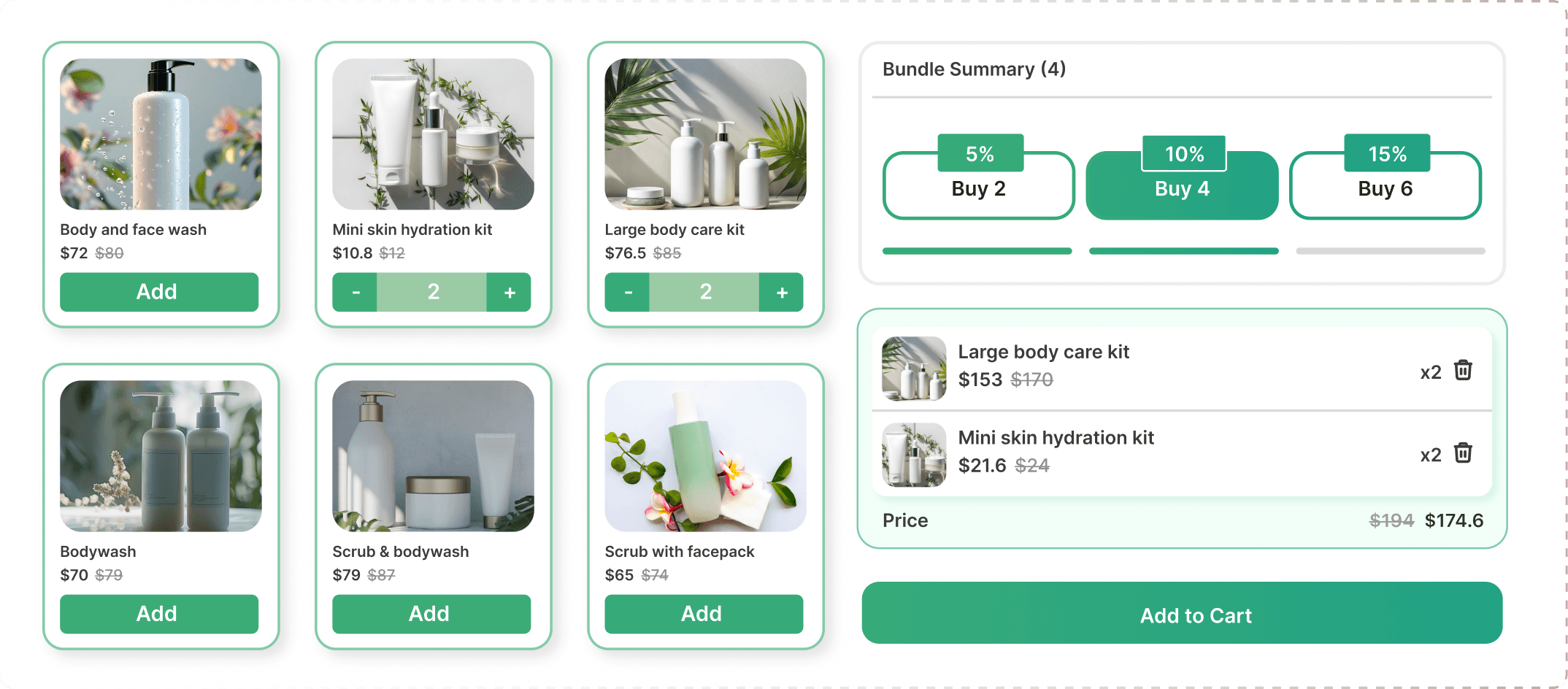
Choose the products customers can select, either individually or through Shopify collections.
Display all products in one grid or organize them into multiple categories for easier browsing.
Define bundle-size tiers and set a fixed price or percentage discount for each tier.
Customers choose their preferred products, select available variants, and adjust quantities.
The bundle summary updates as customers make their selections, showing chosen items and the applicable total.
Once the selection meets the bundle requirements, customers can add their completed bundle to the cart.
Three highlights
Flexible Product Selection
With or Without Categories
Tiered Bundle Pricing
1. Choose Your Layout and Products
Select a layout with or without categories. Add eligible products individually or through Shopify collections. For multi-category bundles, organize products into groups such as Coffee Beans, Sweet Treats, and Accessories.
2. Configure Your Bundle Tiers
Define the item count for each tier and assign a fixed bundle price or percentage discount. Customers can then build their own combination within your configured offer.

