Essenify - Product Bundles

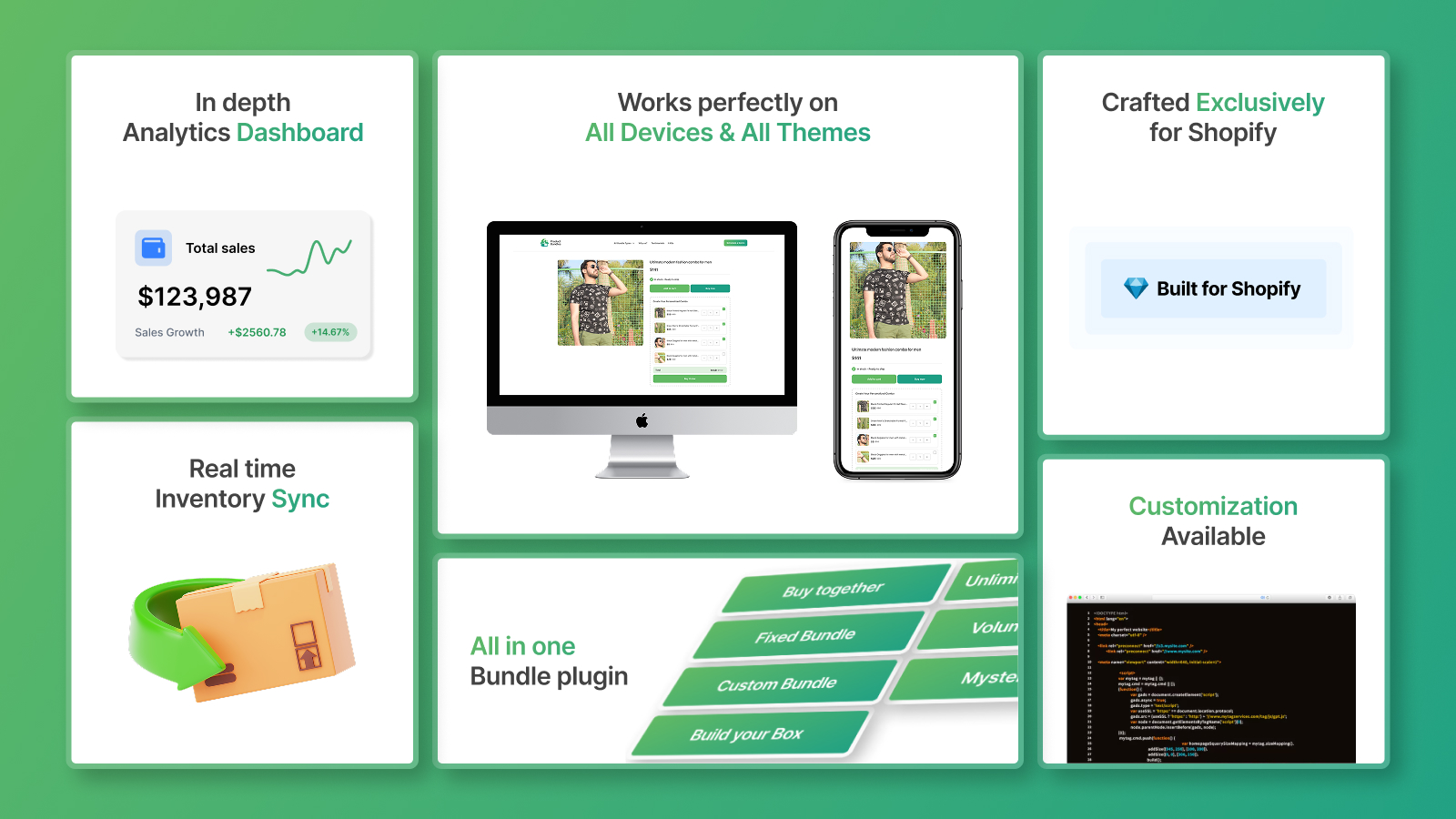
Essenify - Product Bundles helps increase AOV with sales with advanced bundling. Create ‘Predefined’, 'Build Your Box' and ‘Page’ bundles, manage variants, and streamline offerings effortlessly with the Essenify - Product Bundles app

Bundle - A shopify app

Why Essenify - Product Bundles?

  • The most challenging and time-consuming part of selling a combo of products is that manage inventory with the products included in the Bundle.
  • For fulfillment and shipping, You can add child product details as additional details. It will help to identify which child products are used inside the bundle during fulfillment/shipping.
  • Integration with Order Printer app.

Here Bundle has managed inventory with these cases and based on it the quantity of Product Bundles is managed

  • When Bundle product ordered
  • When Bundle product order is canceled
  • When products included in the Bundle will be sold as individual
  • When products included in the bundle will be deleted

What is a Essenify - Product Bundles?

The Essenify – Product Bundles is a combination of multiple products.

It will work with 2 questions only

  • What is the bundle product?
  • What’s in the bundle?
It’s better to use an example to explain this well.
  • What is the bundle product?
    • Box of sweets
  • What’s in the bundle?
    • Chocolate
    • Lollypop
    • Sweets

Types of Bundle

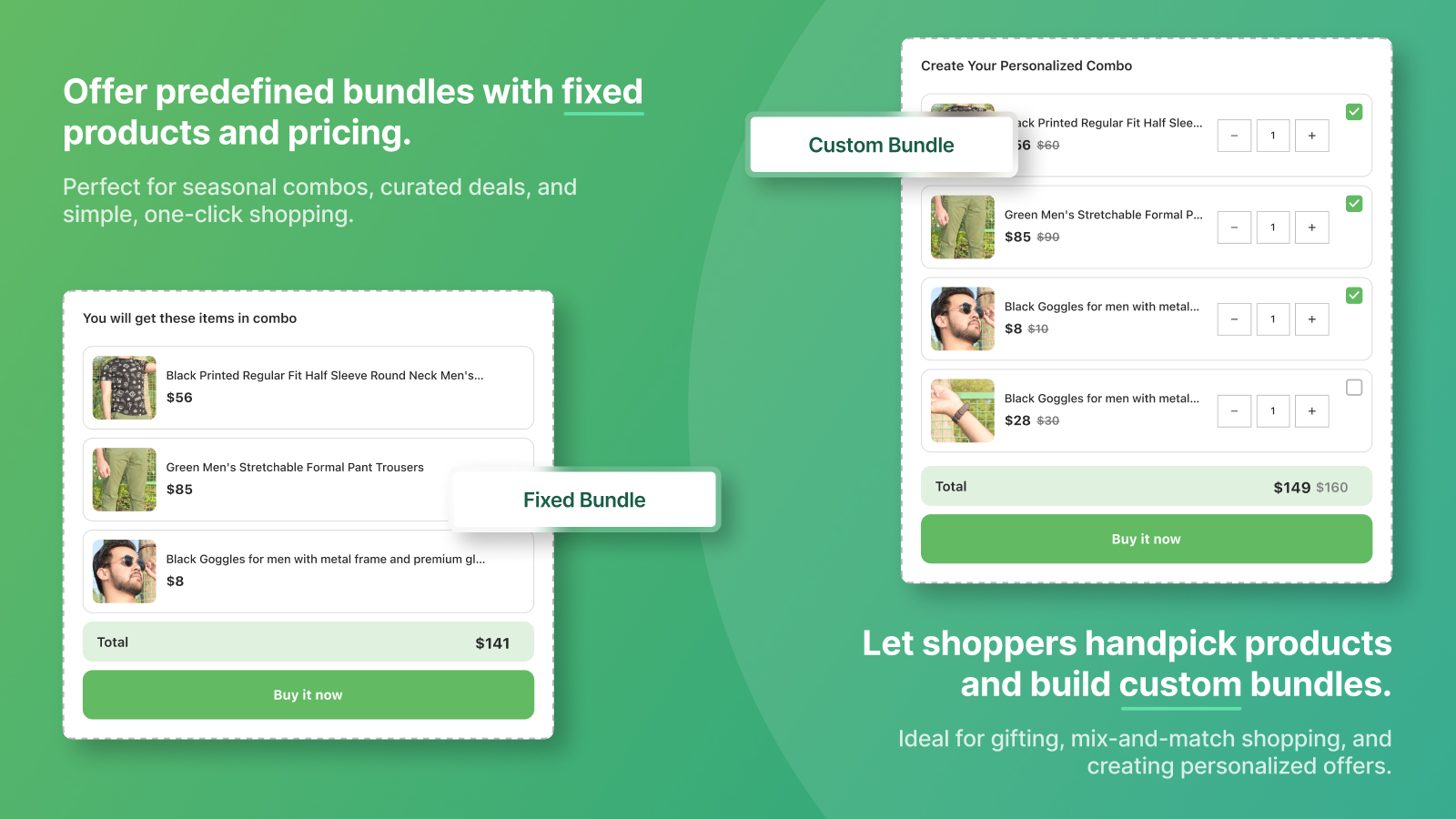
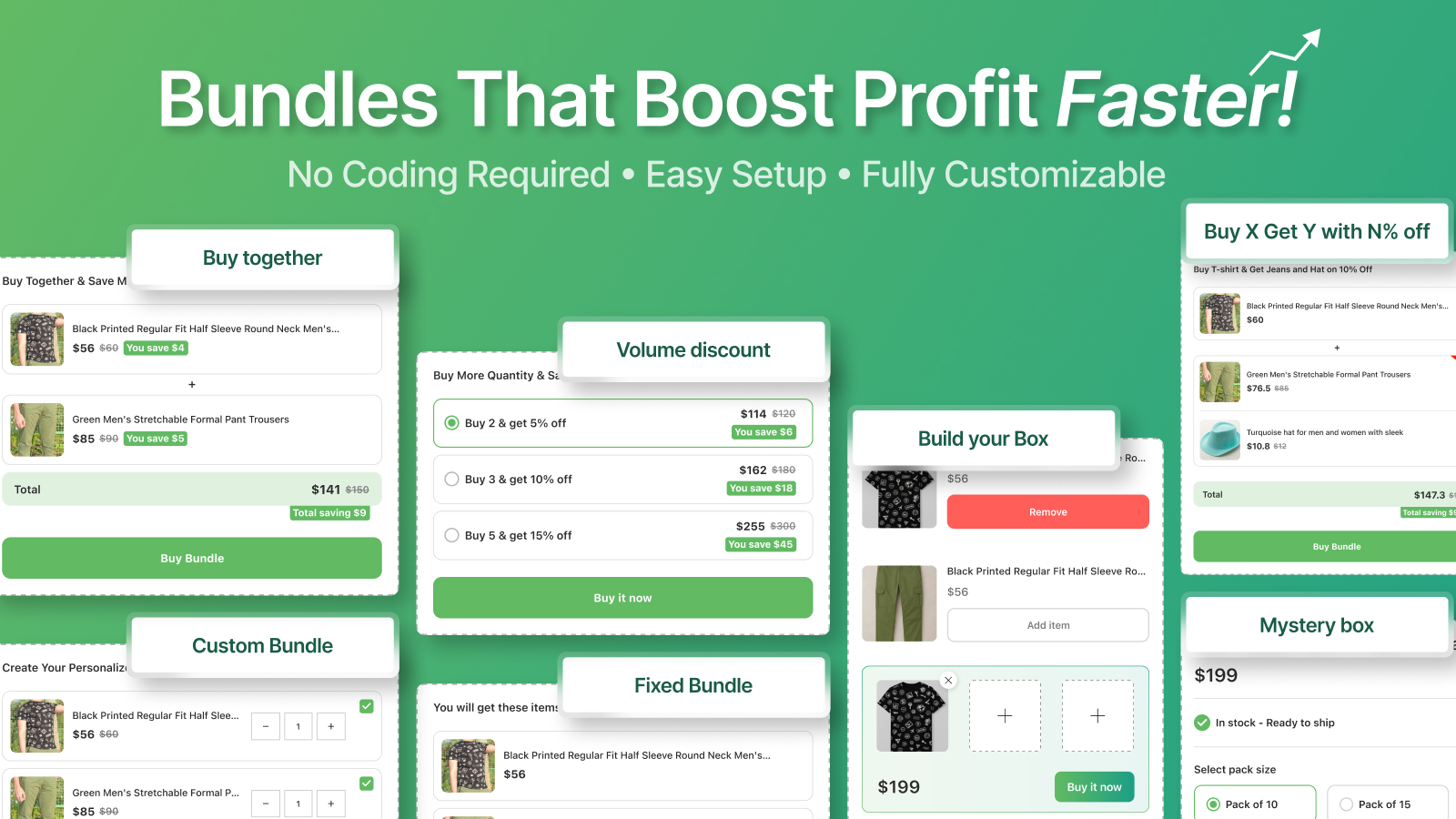
How Fixed Bundle will work?

  • Create a master product as a bundle product with product_type as a master ( Make sure that any variants will be not created with this product for the FREE plan)
  • Choose products within this bundle
  • The price of the master product will be considered as a bundle price
  • Based on the selected product in the Bundle, the quantity will be calculated for the Bundle product
  • Based on order within bundle product or products inside the bundle, inventory will be managed
  • Merchant will notify with email if minimum product limit reached within given settings
  • Streamlined processes
  • Flexible Engagement Models
  • Latest Technologies and High Standards
Setup a Fixed Bundle within 2 steps:
  • Select the main (container) product as a bundle. If not, have a main product then create from the form itself.
  • Choose the products that you want to sell as a bundle

How Custom Bundle will work?

  • Create a main (container) product as a Custom bundle with product_type as a custom-bundle-master-product
  • Choose bundle products within this Custom bundle.
  • Define each bundle product’s discounted price when they are purchased as a bundle product.
  • The discounted price of the bundle will be calculated dynamically as per the discount code when a customer chooses the product from the bundled product page
  • Add App block within the product page as per instruction given in app

This will only work with Paid Plan

Setup a Custom Bundle within 4 steps:
  • Add app block[given more details inside app] inside the product page of theme [ Only One time ]
  • Select the main(container) product as a Custom bundle. If not, have a main(container) product then create from the form itself. 
  • Select the products for the Custom bundle to sell as a combo and set a discounted price for each child product.
  • Set the minimum and maximum quantity for each bundle product to limit the purchase quantity from the customer side.

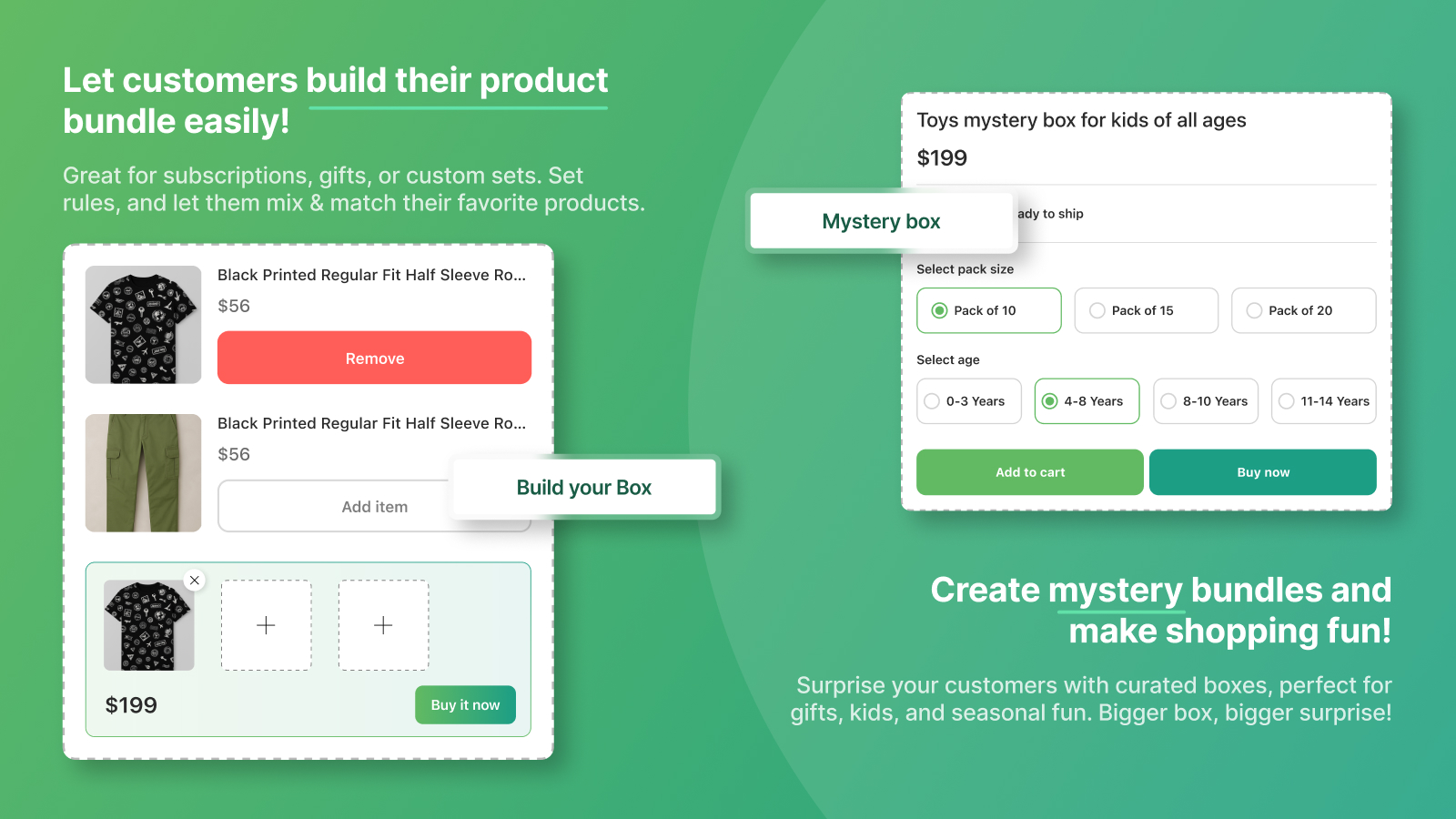
How Build Your Box will work?

Limited picks Bundle:

  • Select the range to set the maximum number of products customer can choose from the bundle.
  • Add the URL from your store wherever you want to display this Build Your Box Bundle on your store page.
  • Set a discount for bundle
  • Choose products for bundle.
  • This will only work with the Paid Plans.
Setup a Limited picks Bundle within 4 steps:
  • Select the product range to set the maximum number of products customers can choose.
  • Add the URL of your store page where you want to display the Build Your Box Bundle.
  • Select a discount type (Fixed Price/Percentage) and enter the discount value.
  • Choose products within this bundle.

Unlimited picks Bundle:

  • Add the URL from your store wherever you want to display this Build Your Box Bundle on your store page.
  • Set a discount for bundle Choose products within this bundle.
  • Define each product’s discounted price when they are purchased as a Box product.
  • This will only work with the Paid Plans.
Setup a unlimited picks Bundle within 2 steps:
  • Add the URL of your store page where you want to display the Build Your Box Bundle.
  • Choose products within this bundle.
  • Set the minimum and maximum quantity for each product.
  • Define each product’s discounted price.

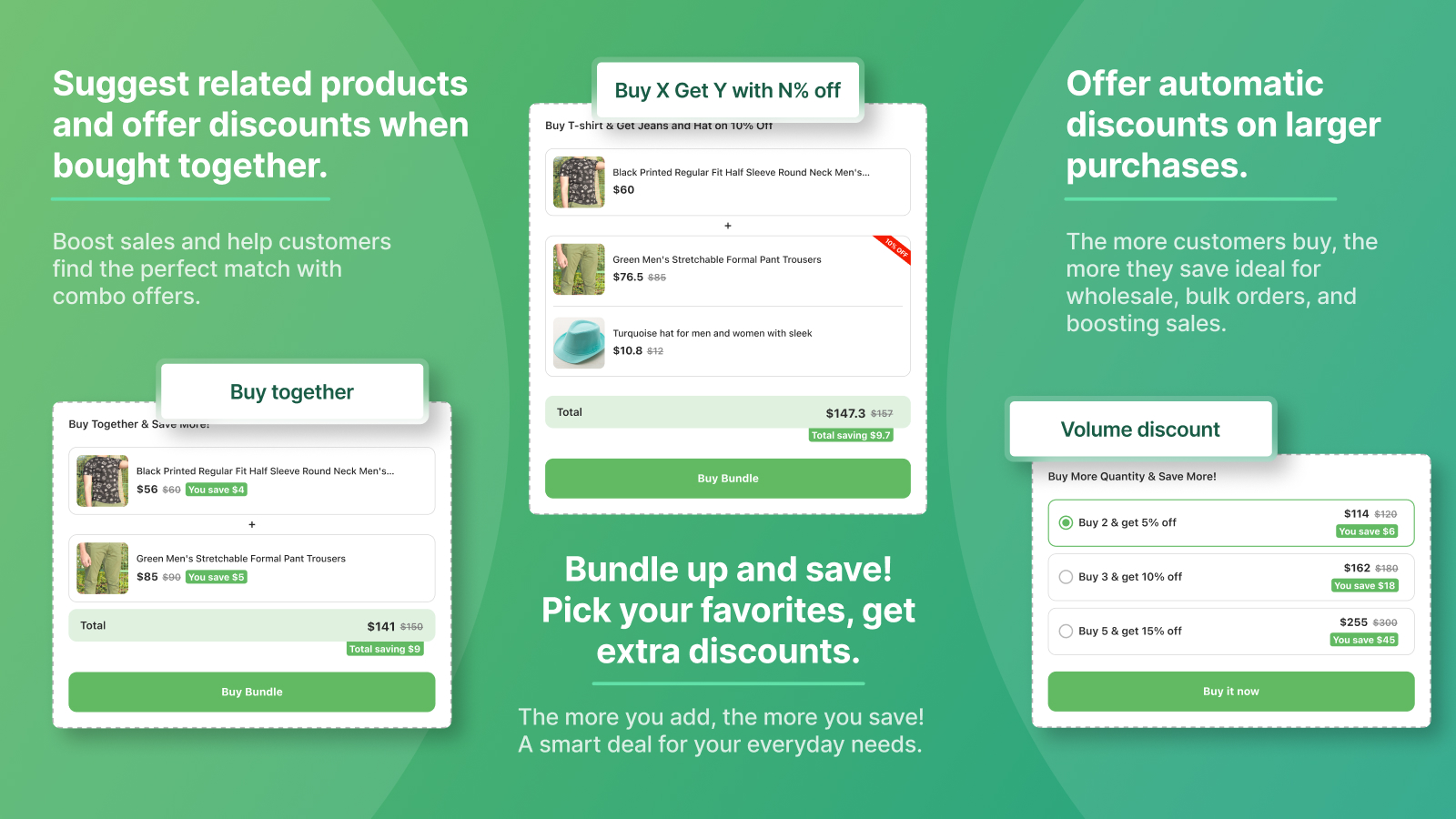
How Buy Together Bundle will work?

  • Add a title for the widget that will be displayed as the heading for your bundle widget in the online store.
  • Set the discount you want to give if a customer buys the product together.
  • Select the products you want to sell together with a discount.
  • Add App block within the product page as per instruction given in app
Setup a Buy Together Bundle in 4 steps:
  • Add the widget title to display as the offer title on the store side.
  • Set the Discount for the products that will be purchased together with a discount.
    • Set the Discount code which will be used to show in the cart for each selected product
    • Set the Discount value
  • Select the products you want to sell together with a discount

How Volume Discount Bundle will work?

  • Select a product that will be sold in volume quantities.
  • Set the discount you want to offer when a customer buys the product based on the specified quantity.
  • Add tiers for providing quantity break discounts on the selected product.
Setup a Volume Bundle within 3 steps:
    • Choose the product for which you would like to offer volume discounts based on different quantities.
    • Set the discount for selected product
      • If you need to include additional quantity breaks, add tiers for the varying quantities.

How Buy x Get y Bundle will work?

  • Add a block title that will be displayed as the heading for your bundle widget in the online store.
  • Set the discount for each selected “Get Y” items.
  • Choose the products that customer buys.
  • Choose the products that customer can get them with discount or free.
Setup a Buy x get y Bundle within 4 steps:
  • Add a block title to display as the offer title on the store side.
  • Add the discount for each selected “Get Y” items.
    • Set the Discount code which will be used to show in the cart for each selected product.
    • Set the Discount type(percentage, fixed or as free gift)
    • Set the Discount value
  • Select the products that customer buys.
  • Select the products that customer can get with discount or free.

How Mystery Box Bundle Bundle will work?

  • Select the main product that the customer will purchase from your store to receive a mystery bundle.
  • Specify the number of items to be included in the mystery box.
  • Choose the products that you want to include as potential items inside the mystery box
Setup a mystery box bundle within 3 steps:
  • Select the main product
  • Add a number of products
  • Choose products within this box

Settings for set email notification

  • Notifiction:
  • Set your email for a lower inventory of bundle products.
  • Subscription:
  • Install any subscription app and begin selling your bundles on a weekly, monthly, or yearly basis.

Custom Features

If you think you need more customization on Essenify – Product Bundles, then feel free to get in touch and we are here to help you!

Pricing ( 15-day free trial )

Choose a plan that’s right for you

Freebie

Ideal for individuals who need quick access to basic features.

Free Free
  • Multiple bundle creation only
  • Up to 2 Active Fixed Bundles
  • Up to 2 Active Buy Together Bundles
  • Up to 2 Active Volume Bundles
  • Order-based Bundle Suggestions
  • Quantity based notification
  • Bundle Products inventory management
  • Review Bundles
Starter

Ideal for individuals who need access to enhanced features

$ 5.99 / Month
  • Multiple bundle creation
  • Variant selection in the master product
  • Up to 5 Active Fixed bundles
  • Up to 5 Active Buy Together Bundles
  • Up to 5 Active Volume Disount Bundles
  • Up to 2 Build Your Box Bundle
  • Up to 2 Customizable Custom Bundles
  • Import Fixed bundle
  • Oversell Fixed Bundles
  • Review Fixed Bundles
  • Bundle products inventory management
  • Add child products as order additional details
  • Quantity based notification
  • Bundle product’s details at the checkout page
Pro

Ideal for individuals who need access to Must-Have features.

$ 14.99 / Month
  • Multiple bundle creation
  • Variant selection in the master product
  • Unlimited Active Fixed bundles
  • Up to 10 Active Buy Together Bundles
  • Up to 10 Volume Discount Bundles
  • Up to 10 Build Your Box Bundle
  • Up to 10 Customizable Custom Bundles
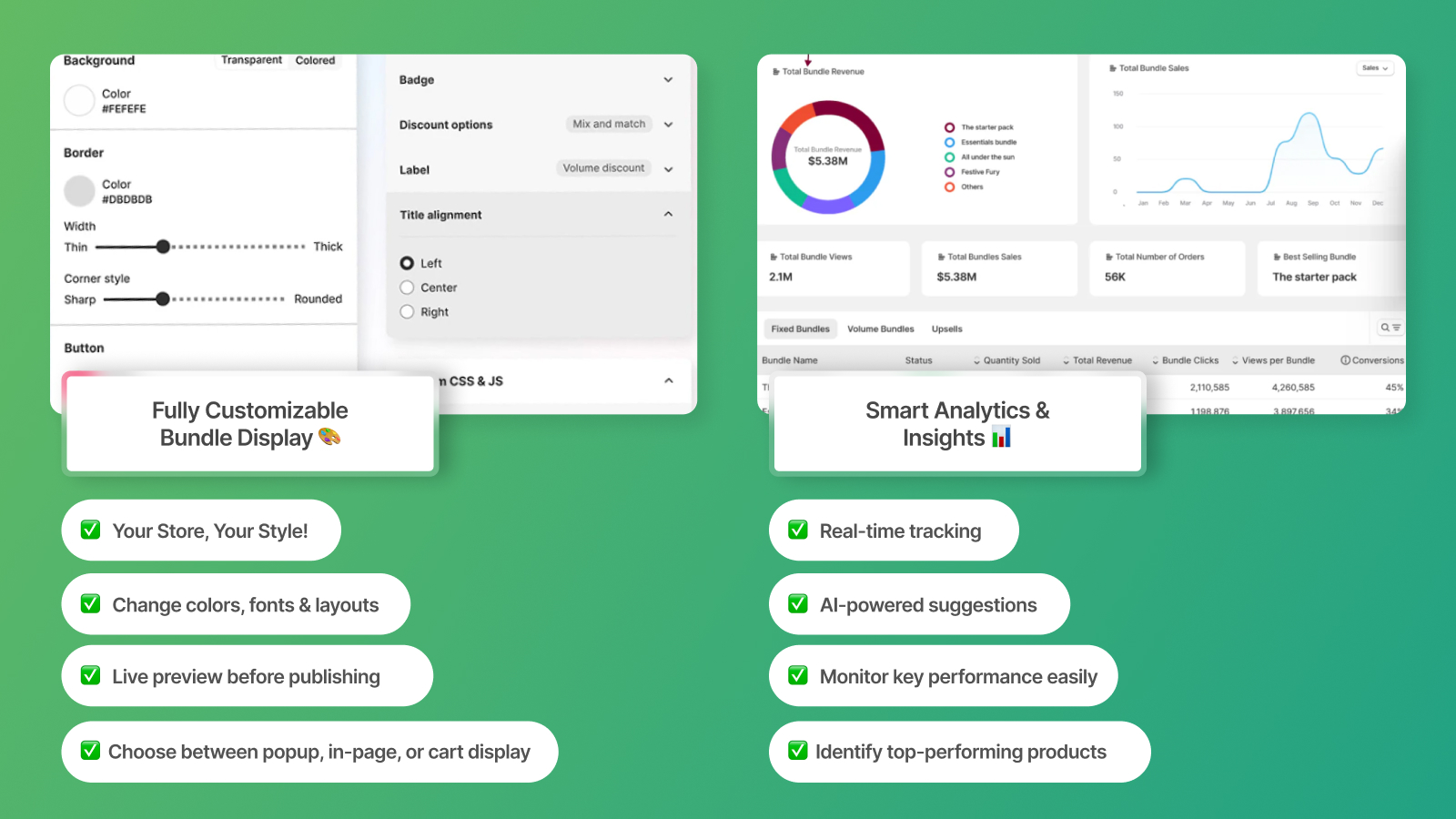
  • Full Customization Support
  • Import Fixed bundle
  • Oversell Fixed Bundles
  • Review Fixed Bundles
  • Bundle products inventory management
  • Add child products as order additional details
  • Quantity based notification
  • Bundle product’s details at the checkout page
Advance

Ideal for individuals who need access to advanced features.
$ 29.99 / Month
  • Multiple bundle creation
  • Variant selection in the master product
  • Unlimited Active Fixed bundles
  • Up to 20 Active Buy Together bundles
  • Up to 20 Active Volume bundles
  • Up to 20 Build Your Box Bundle
  • Up to 20 Customizable Custom Bundles
  • Full Customization Support
  • Activate All Imported Fixed bundle
  • Oversell Fixed Bundles
  • Review Fixed Bundles
  • Bundle products inventory management
  • Add child products as order additional details
  • Quantity based notification
  • Bundle product’s details at the checkout page

How it looks like?

Ready to install?

You can install Essenify - Product Bundles from Shopify App Store.

Need support?

If you think you need more rules or customization on Essenify - Product Bundles, then fill free to get in touch and we are here to help you!